RetentionBehavioral DesignUser Research

Too Good To Go

Improving Retention Through Personalization

UX strategy case study exploring why users disengage over time. Focused on identifying friction points and designing opportunities for long-term engagement and habit formation.
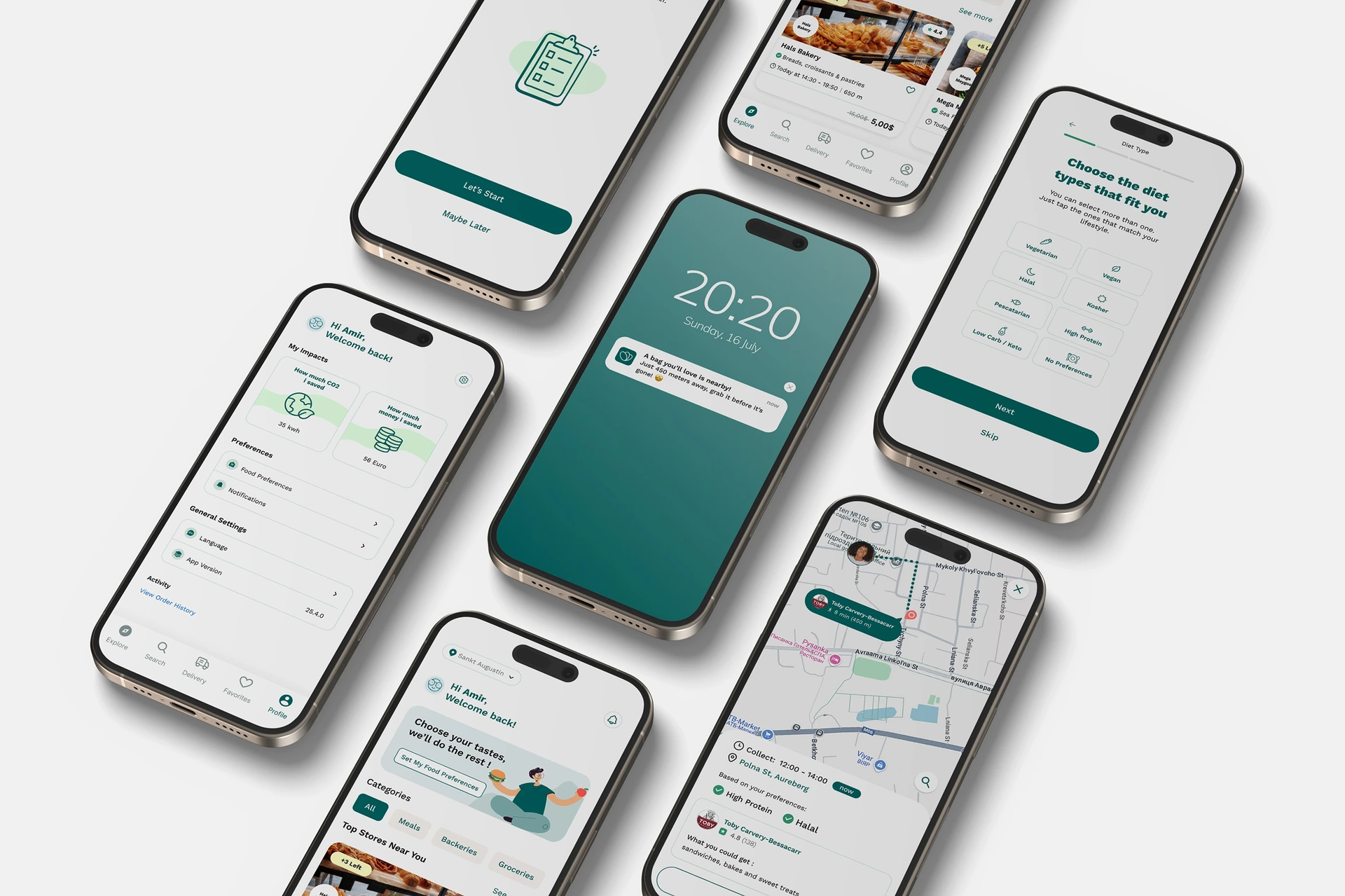
Too Good To Go case study cover
Summary

Summary

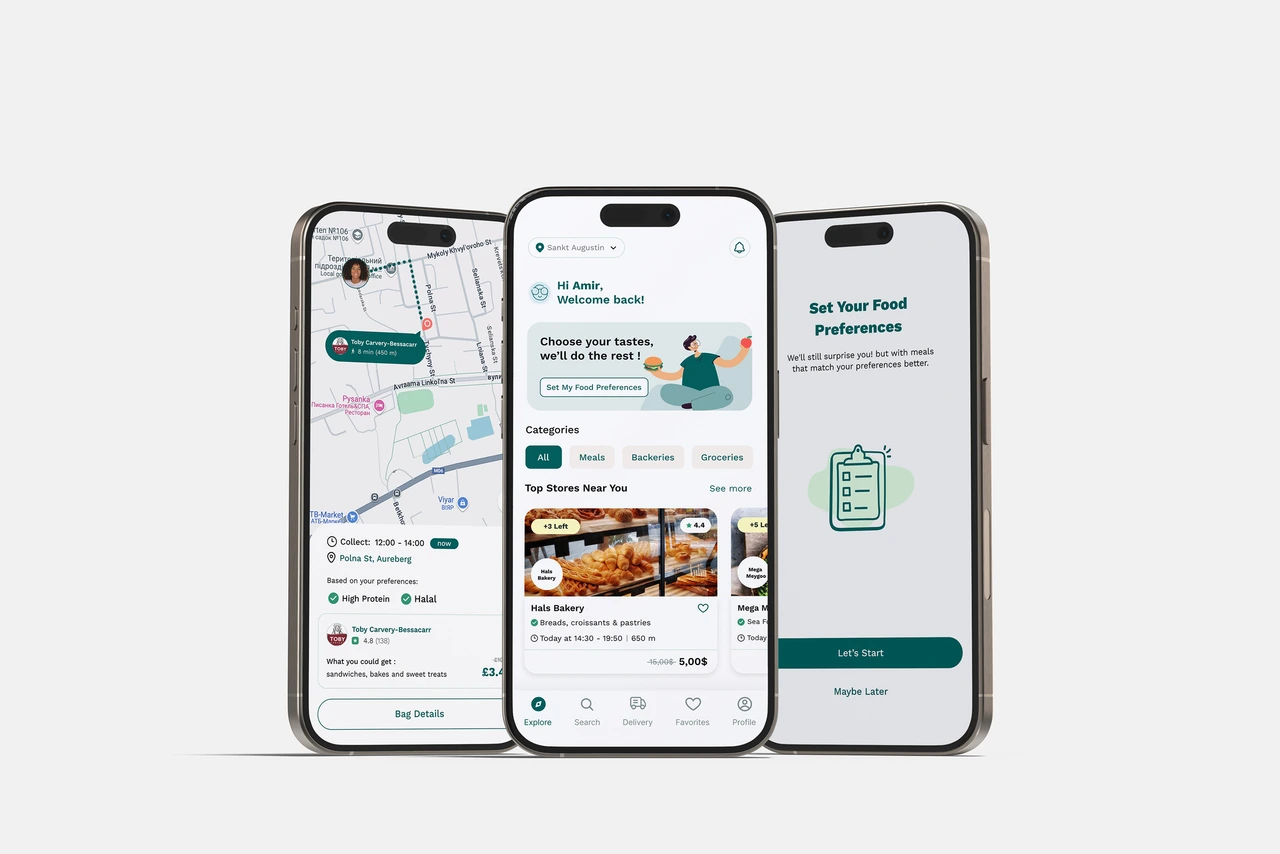
A UX project to understand why users don’t return to the TGTG app after first use, and how improving the homepage experience, re-engagement triggers, and food preference setup can boost retention.
TGTG app summary visuals

Overview

Introduction

TGTG is a food-saving app offering discounted unsold meals. I worked with a team of 2 product designers to improve user retention by creating a more personalized experience for low-engagement users.

Methods

  • User Interviews
  • Persona & Journey map
  • impact effort matrix
  • UI & prototyping
  • 5 Second Test

Summary

RoleUser researcher, Visual designer
Duration4 Weeks
Problem

Why Users Lose Trust and Don’t Return
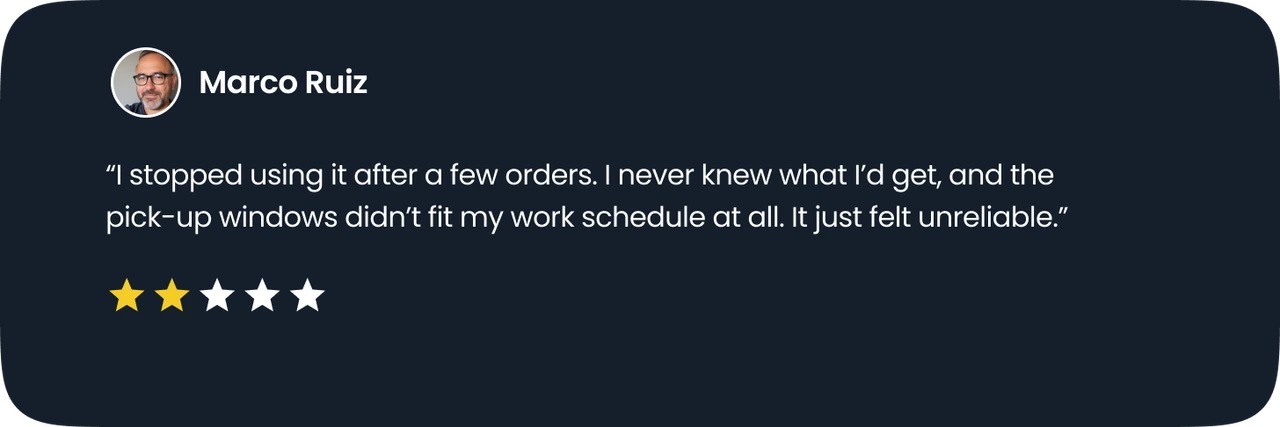
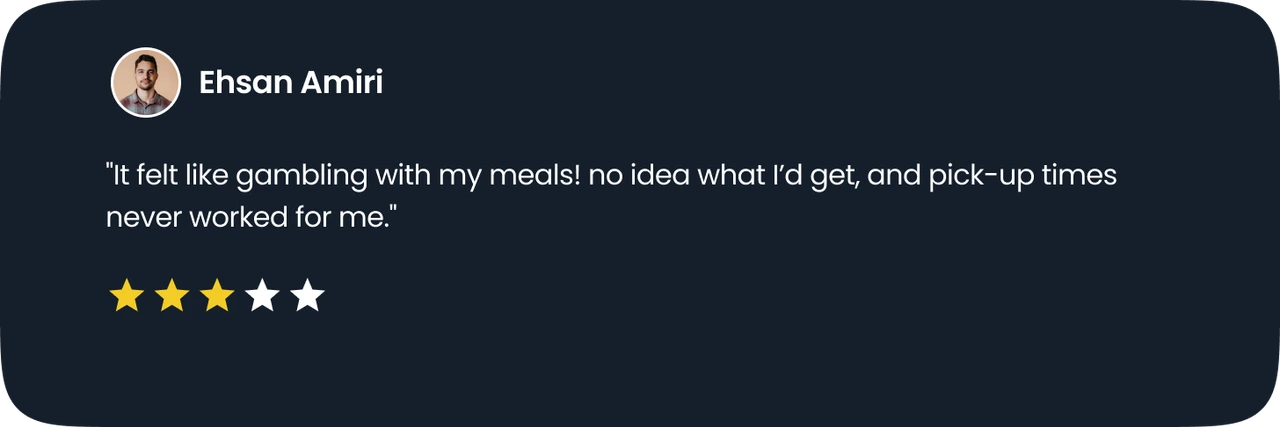
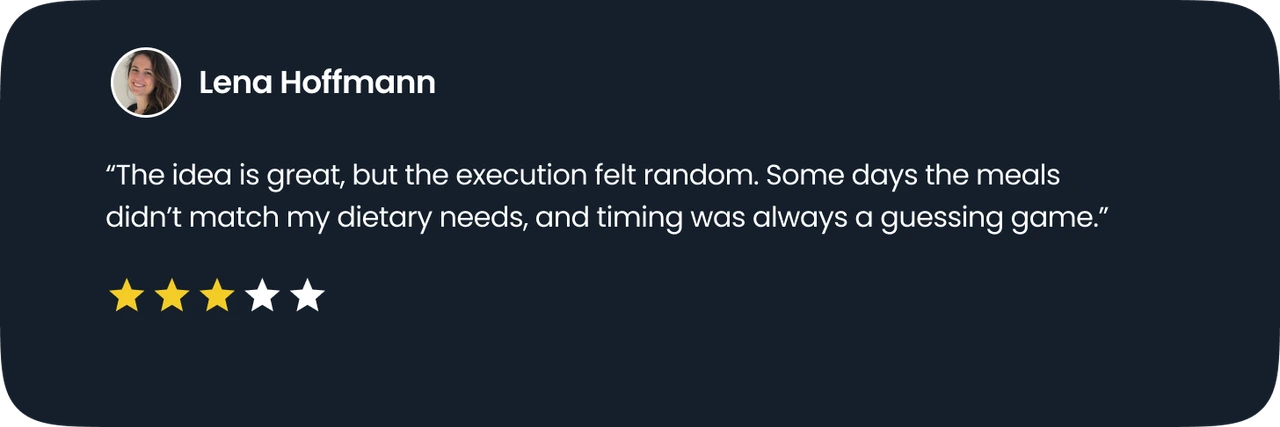
Users often lose trust and fail to return when meal options appear unreliable, poorly timed, or misaligned with their lifestyle and dietary preferences.
User feedback card 1
User feedback card 2
User feedback card 3

User feedback highlights

Our Assumptions

Stepping into the user’s shoes

As TGTG users, we started by outlining some assumptions about why people might not return after their first order. These early thoughts helped shape our research and guide the next steps.
Lack of dietary filtersUsers can’t easily filter by dietary needs, which reduces trust and increases effort.
Low food quality or freshnessPerceived freshness impacts return behavior when expectations aren’t met.
Unclear surprise bag contentAmbiguity creates anxiety; users want a baseline of what they’ll get.
Inefficient search experienceSearch may be adequate; low engagement could stem from the value proposition elsewhere.
Lack of gamification and rewardsRewards might help, but motivation could be driven more by reliability and clarity.
Lack of cultural acceptance around surplus foodEducation and positioning could influence perception but needs validation.
User Interviews

Barriers to Returning: Trust, Timing, and Friction
After speaking with 8 users, we found that the biggest blockers to returning were low trust in food quality, unclear expectations, and rigid pickup logistics. Pointing to a need for more control, clarity, and personalization.
User interview 1
User interview 2
User interview 3
User interview 4

Reassurance of Food QualityUsers want to feel confident that the food they get is fresh, safe, and matches the promised value.
Better Store TransparencyThey want access to clear reviews and real feedback to help them choose trustworthy providers.
Smarter Filtering & Location InfoUsers need accurate filters and better details about store locations to make quicker, smarter decisions.
Confusing Surprise Bag ContentUsers feel unsure not knowing what’s in the bag. Especially regarding ingredients, allergens, or portion types.
Inconvenient Pickup SlotsPickup times often clash with users' daily routines, making it hard to participate regularly.
Mismatch Between Price and ValueEven with the discount, some users feel the food isn’t worth the price, which makes them hesitant to use the app again.
Defining Personas

Who Leaves and Why?

Exploring how frustration shows up across different lifestyles.
The Budget-Friendly Commuter

The Budget-Friendly Commuter

His Story:

Loves exploring new food and needs budget-friendly options.

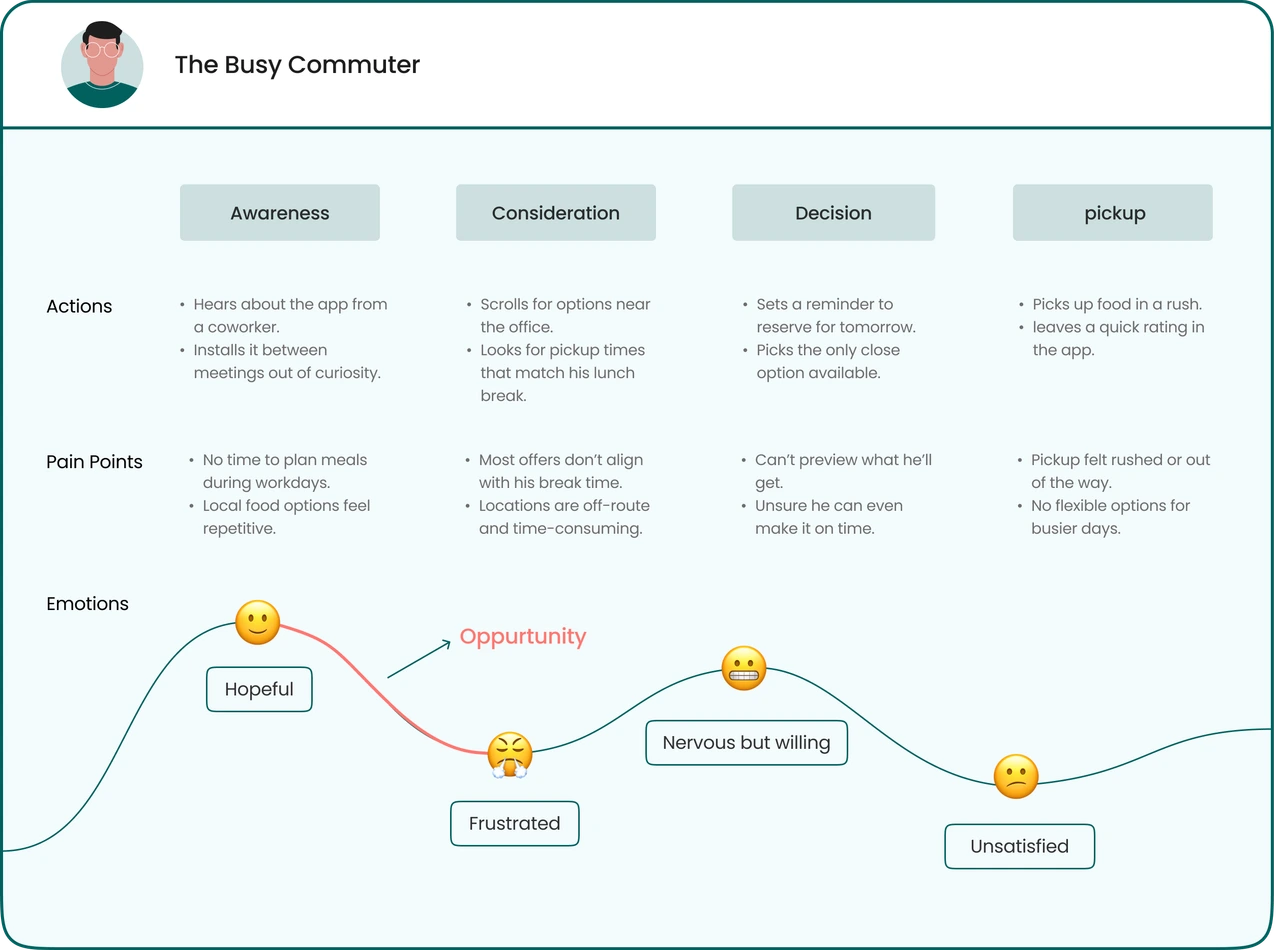
The Busy Commuter

The Busy Commuter

His Story:

Looks for quick, affordable meals to fit a busy schedule.

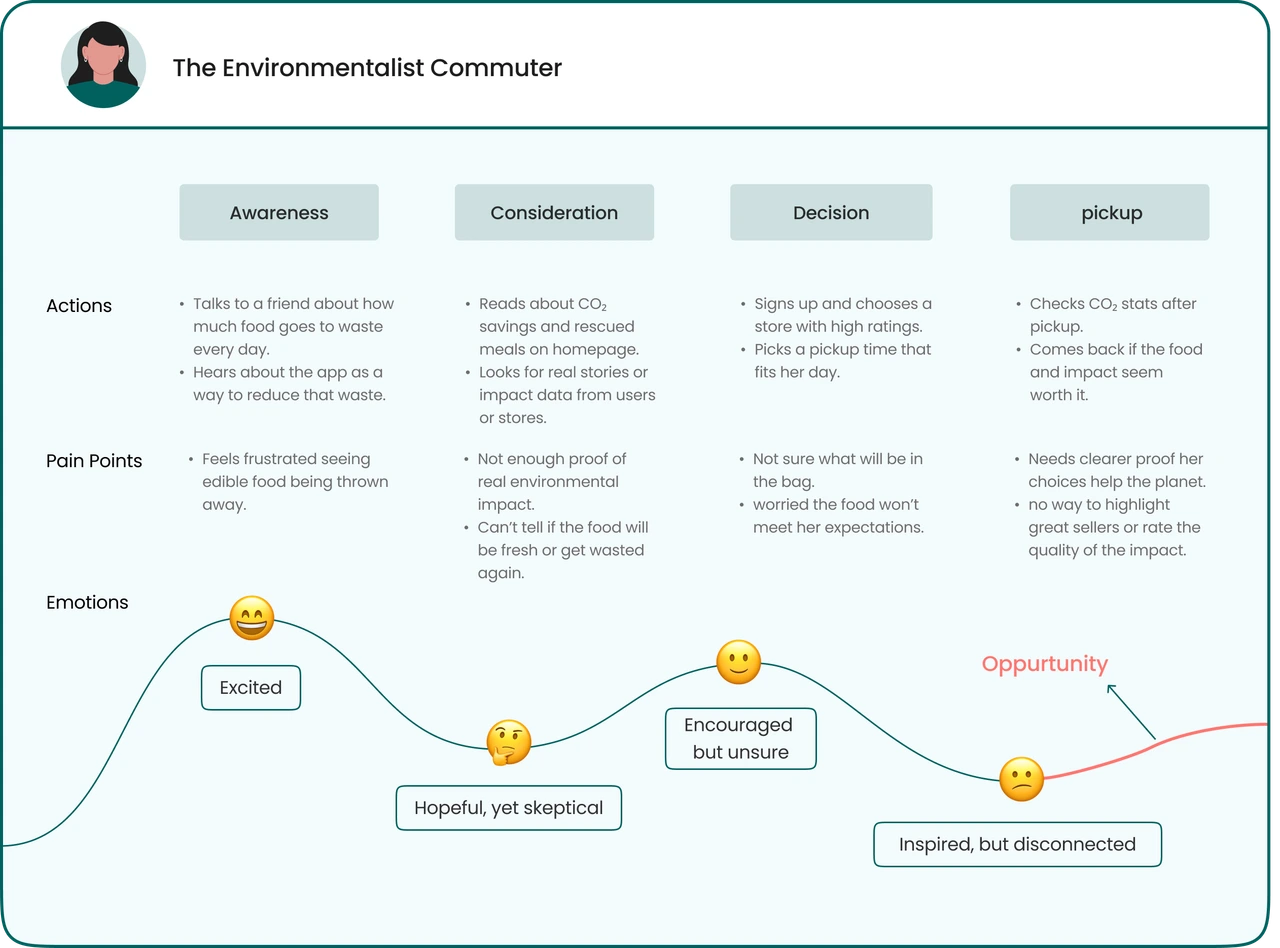
The Environmentalist Commuter

The Environmentalist Commuter

His Story:

Wants to fight food waste and enjoy sustainable, good meals.

User Journey Map

Identifying key drop-off moments in the user journey
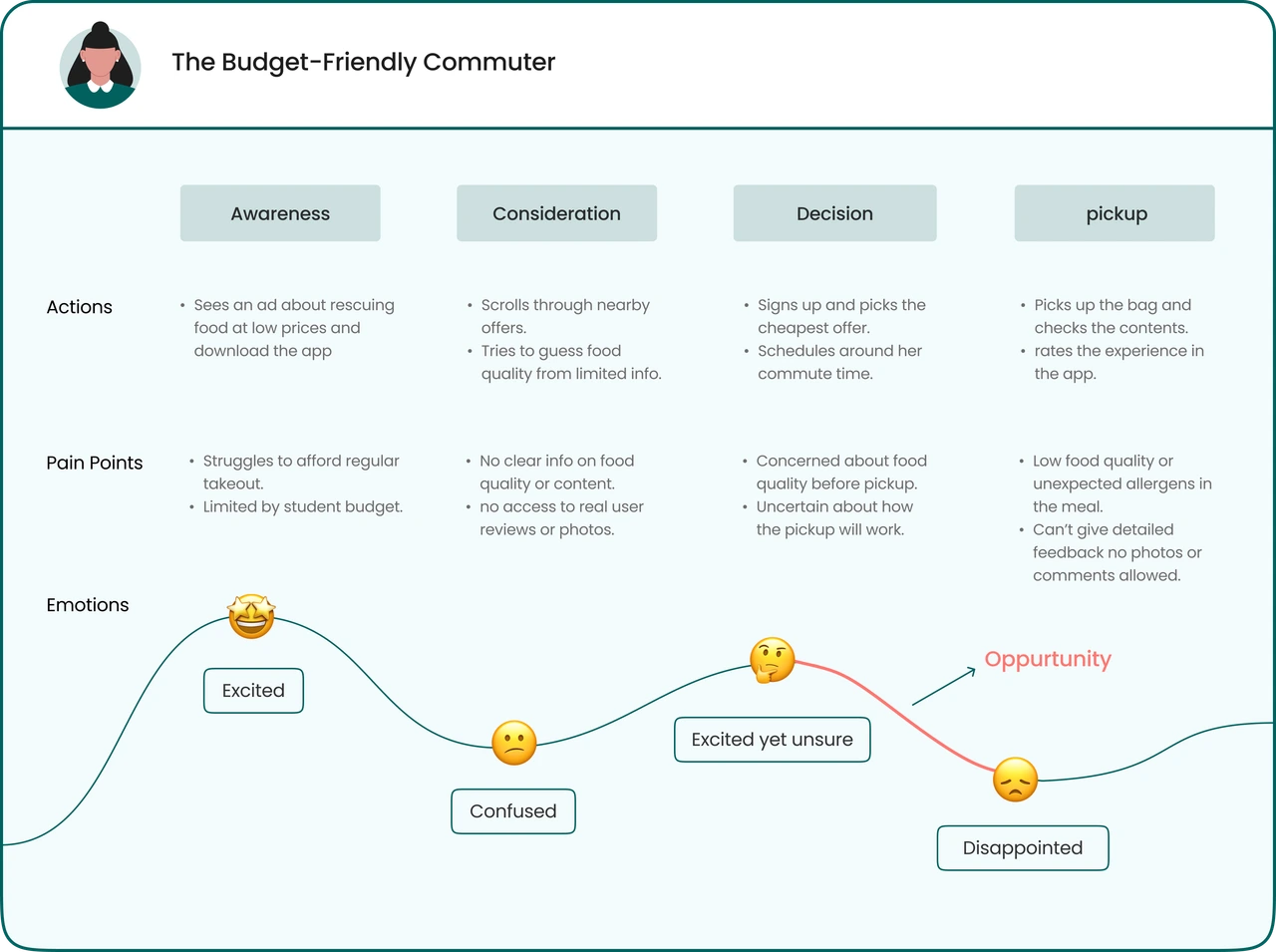
As we mapped user journeys, patterns emerged: unclear bag contents, awkward pickup times, and poor value perception were driving users away.
User Journey Map 1
User Journey Map 2
User Journey Map 3
HMW Statements

Reframing insights into opportunities

We turned our research findings into actionable How Might We questions to spark solution ideas around trust, personalization, and re-engagement.
🤝

HMW build more trust around buying a surprise bag?

✍️

HMW personalize the experience and make it more inclusive?

HMW offer more convenient pickup options that better fit users' schedules?

Brainstorming

Turning Pain Points into Product Ideas
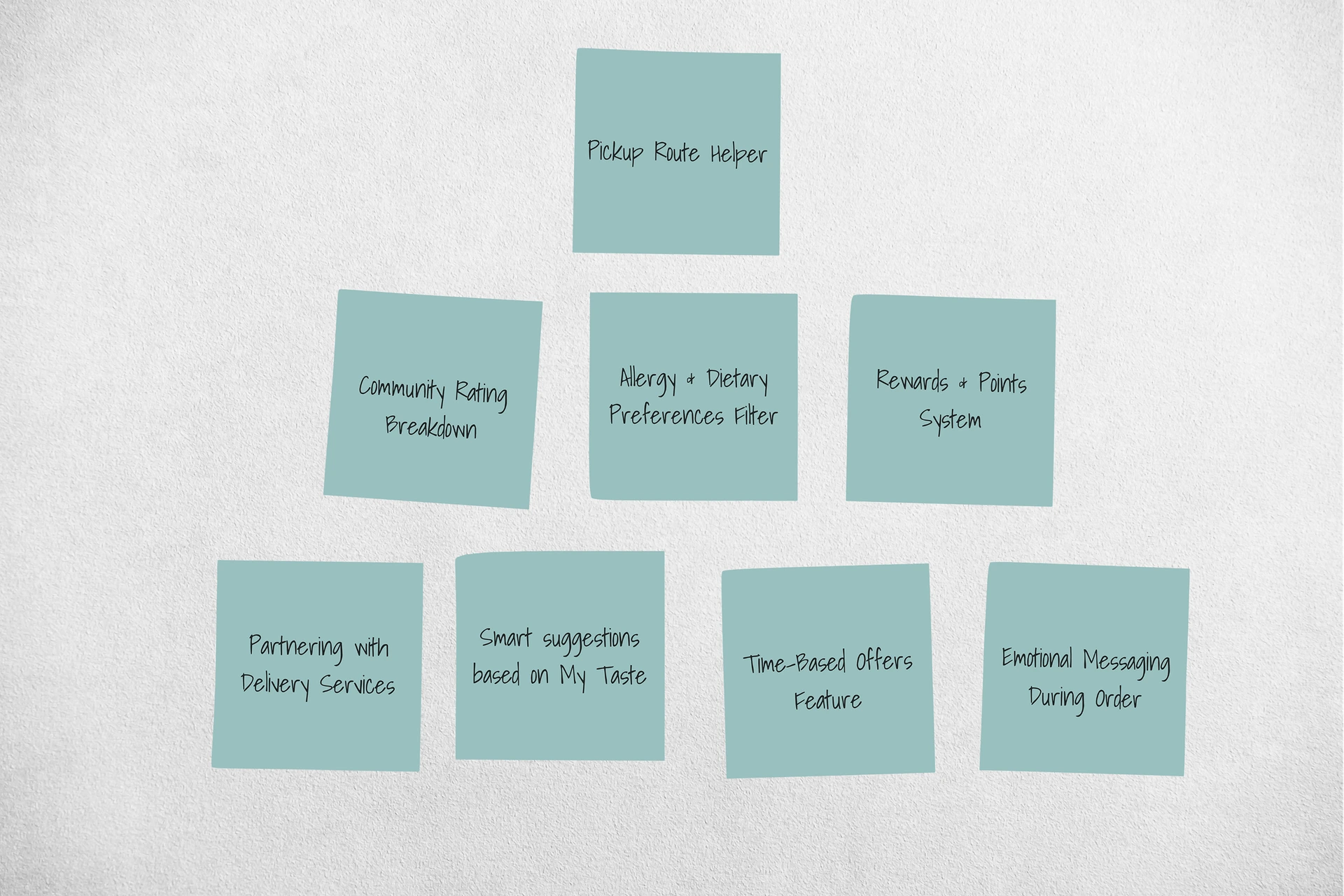
Building on user journey breakdowns and HMW prompts, we brainstormed actionable ideas to solve the most painful and disengaging moments. These ideas became the foundation for our solution directions.
Brainstorming sticky notes showing product ideas
Prioritizations Matrix

What Should We Build First?

To guide our design direction, we used an Effort-Impact Matrix to prioritise ideas that addressed the most critical barriers to user retention. This approach helped us focus on high-impact, low-effort solutions that would deliver the most value quickly.

High Impact

Low Effort (Quick Wins)

🚀

Sorting Options

Sort offers by price, rating, or time.

Comment & Photo Reviews

Lets users post comments and photos to reflect real experiences.

New Store Alerts

Notify users when new spots open near their location.

High Impact

High Effort (Strategic)

Personalized Diet Setup

Users can set dietary needs and preferences to get smarter, tailored meal suggestions.

Re-engagement Offers

Timely reminders and deals to bring inactive users back.

Freshness Guarantee Policy

If a meal isn't fresh, users can return it.

Low Impact

Low Effort (Fill-ins)

🛠️

Portion Filter by Group Size

Let users filter offers by number of people they're buying for.

Re-engagement Offers

Timely reminders and deals to bring inactive users back.

Low Impact

High Effort (Maybe Later)

Always-Ready Picks

A curated list of reliable stores with surprise bags available for immediate pickup.

Subscription Access Plans

Affordable daily meal plans tailored to busy schedules and tight budgets.

Final UI Design

Personalized Onboarding Flow

A seamless, interactive flow designed to capture user preferences early and build trust through transparency. This redesigned onboarding ensures users see relevant content immediately, reducing drop-off rates.
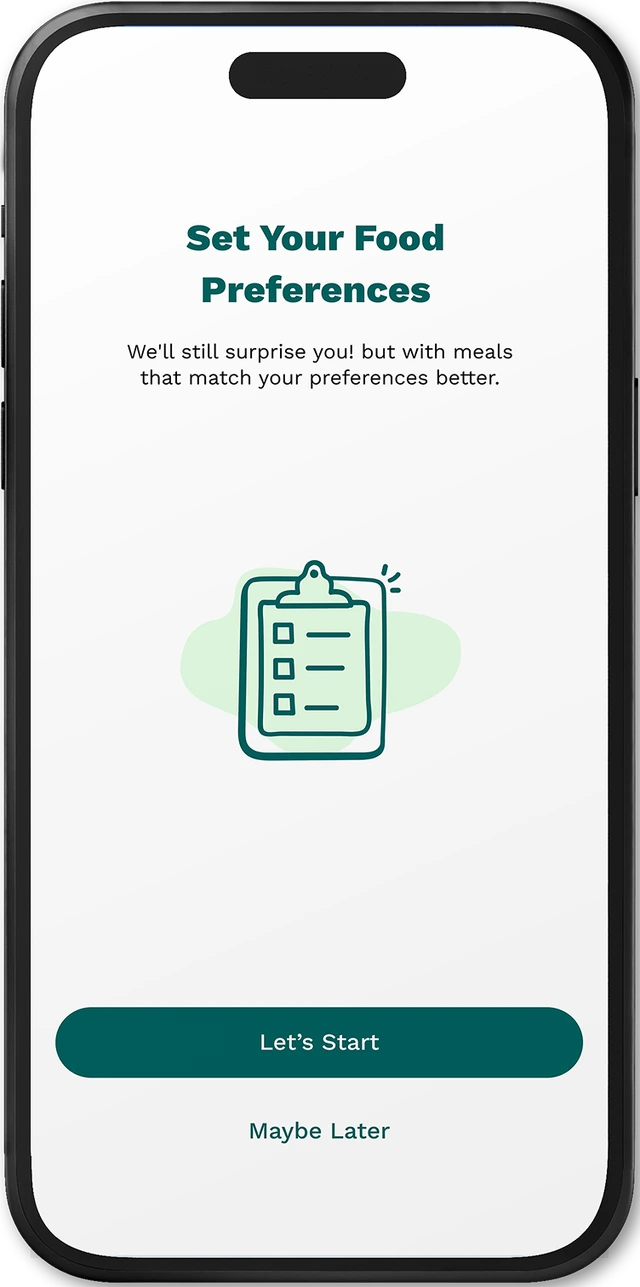
Start Personalization
1 / 7
Step 1 of 7

Start Personalization

A clear starting point for preference-based customization.

From Old to New: Redefining Core Screens

We redesigned the Home and Profile screens to fix clarity, personalization, and utility gaps found in user feedback.

Home Screen Evolution
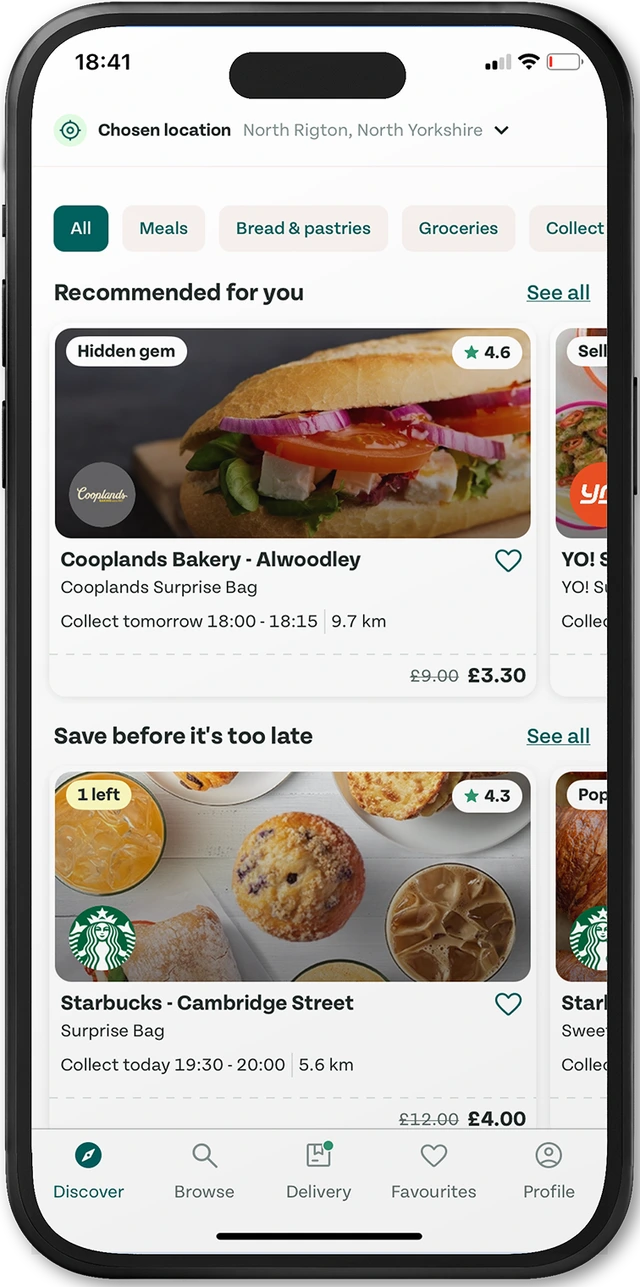
Home - Before
BEFORE

Home - Before

Lacked clear CTA or personalization
Crowded categories with little hierarchy

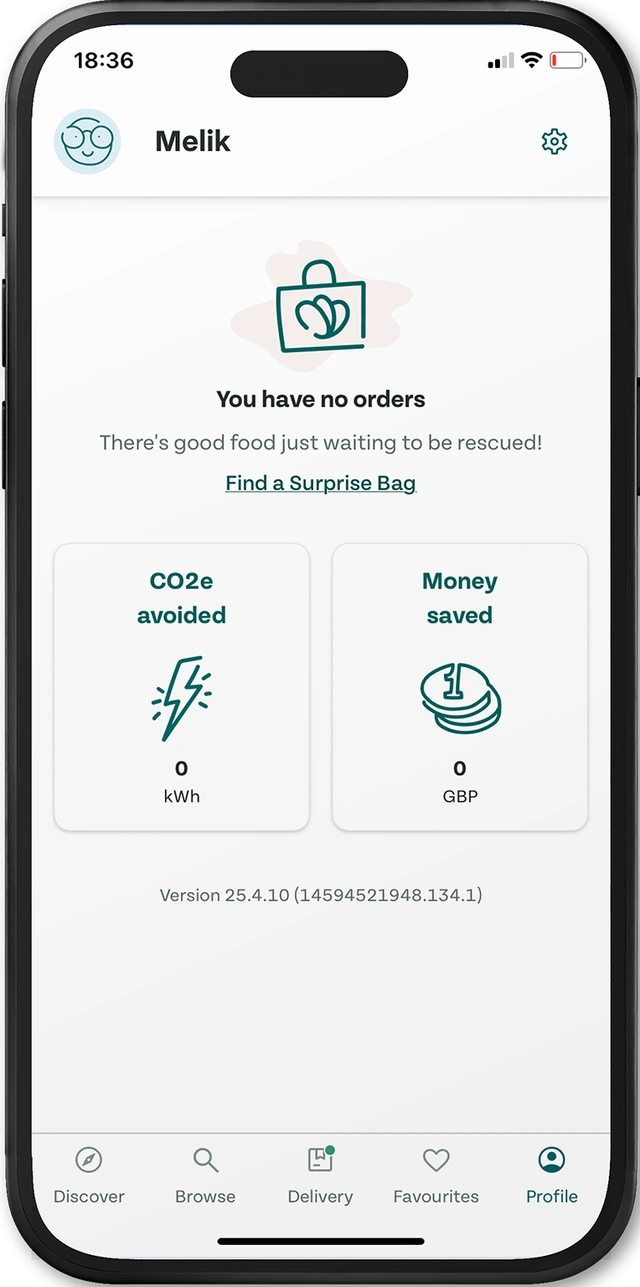
Profile Screen Refinement

Profile - Before
BEFORE

Profile - Before

Lacks personalization
Poor visual hierarchy

Proactive Personalization with Location-Based Alerts

Delivering timely recommendations based on proximity and preferences to increase engagement and conversion.
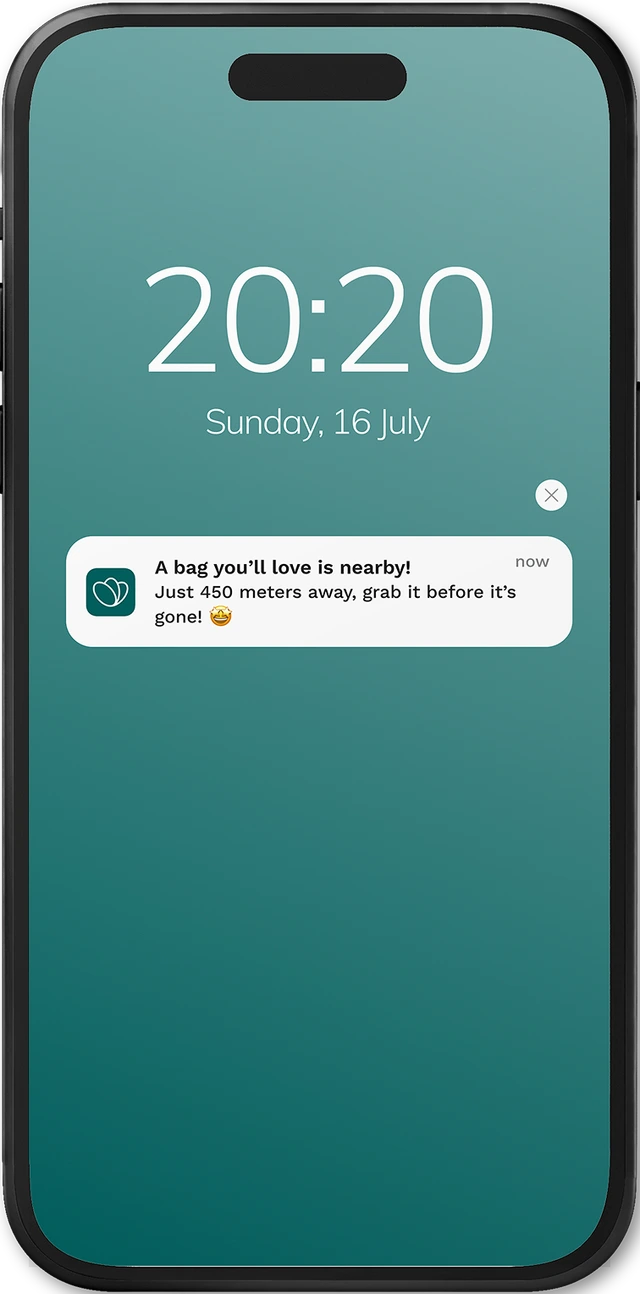
Proximity Alert
1 / 4
Step 1 of 4

Proximity Alert

Notifies users when a relevant offer is nearby based on location and preferences.

User test

Did we solve the problems?

To understand how clear and intuitive our design was, we asked users a few quick questions right after a 5-second exposure to the screen.

What is the first thing you noticed on this screen?
What do you think this screen is for?
Identified the screen as setting dietary preferences
87%
Thought it was about finding nearby surprise meals
56%
Unclear what to do next
23%
User Feedback

Validating Our Design Decisions

We gathered feedback to understand how users perceived the new design. Their responses show clearer value, improved relevance, and a more satisfying experience overall.

User Avatar

Now I get meal options that fit my diet and budget. It feels safer and more worth it.

User Avatar

I love getting nearby deals without scrolling. It saves me time when I'm on the go.

User Avatar

The app finally shows food I actually want ! while still helping me cut waste.

Growth & Learnings

Keeping a Balance Between Surprise and Clarity

We learned that users stop trusting the app when the surprise bags feel too unclear or unrelated to what they want. But if we show too much, the "surprise" feeling disappears. This helped us realize something important: we don't have to reveal everything to make people feel safe. Even simple things like letting them set their food preferences can give them more trust and control. Instead of full transparency, we learned to focus on the right kind of transparency, just enough to help users feel comfortable without ruining the surprise.
Available for new projects

Interested in working together?

Whether you're building a product, improving an existing experience, or looking for thoughtful UX feedback I'd love to collaborate.

Contact section photo