ChatGPT
Designing a Structured AI Workspace Experience
A conceptual UX case study exploring how users navigate, revisit, and manage long AI conversations. Focused on information architecture, mental models, and sense-making at scale.
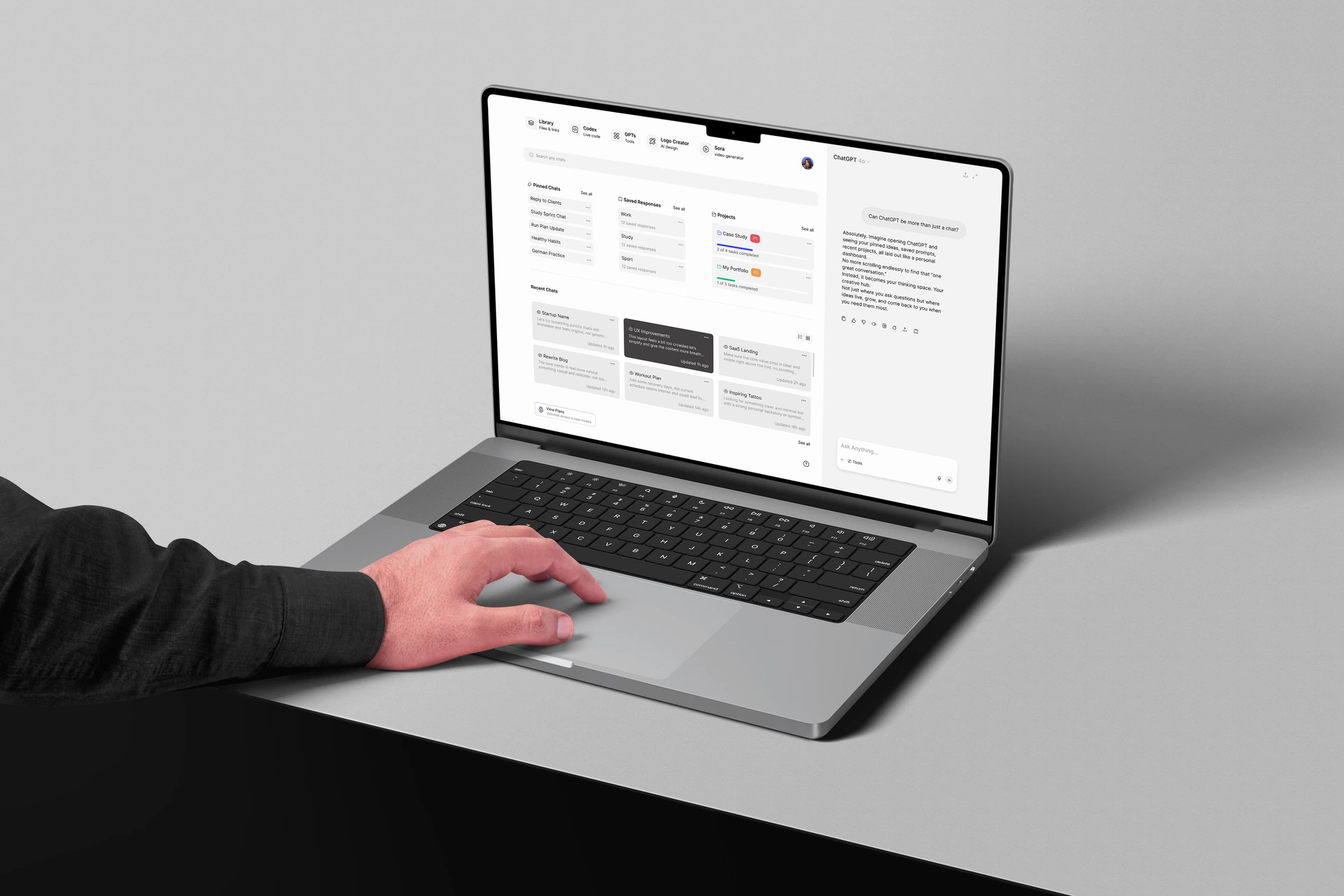
We’ve all been there you remember a brilliant GPT answer, but can’t find it again. That’s why we built a fix.
We were frustrated too! finding old chats felt harder than it should. That's exactly why we decided to tackle this problem.
Overview
Introduction
A conceptual UX case study exploring how users navigate, revisit, and manage long AI conversations. Focused on information architecture, mental models, and sense-making at scale.
Methods
- Desk Research
- User Interviews
- Contextual Inquiry
- User Persona
- Competitor Analysis
- Impact-Effort Matrix
- 5 Second Test
Summary
The Smartest Assistant Still Needs Smarter Organization !
We conducted field research across platforms like Twitter, Reddit, and YouTube comments to uncover users' biggest frustrations with chat management in ChatGPT.

Cinaro Caligari
““ChatGPT really needs folders or tags to organize chats. It gets messy when you have convos on different topics. Being able to sort them — or even auto-tag them — would make things way easier. @samaltman @OpenAI””
What patterns keep showing up across user feedback?
Even with the launch of Projects, users still face challenges. Whether on Reddit or Twitter, people consistently highlight gaps in how ChatGPT supports continuity, organization, and memory.
Smarter chat organization
Users want to group chats by topic or project, not just scroll through a long list.
Ongoing conversation flow
They want to continue where they left off, without searching or losing context.
In-chat search needs
Since they can't search inside chats, many turn to extensions or outside tools.
Projects ≠ real workflows
Projects feel too static. Real work changes and grows over time.
Missing collaboration
Users want to share projects with others, not just keep them private.
Context-aware files
They expect ChatGPT to understand and use their files, not just store them.
Validating Patterns Through Real Conversations
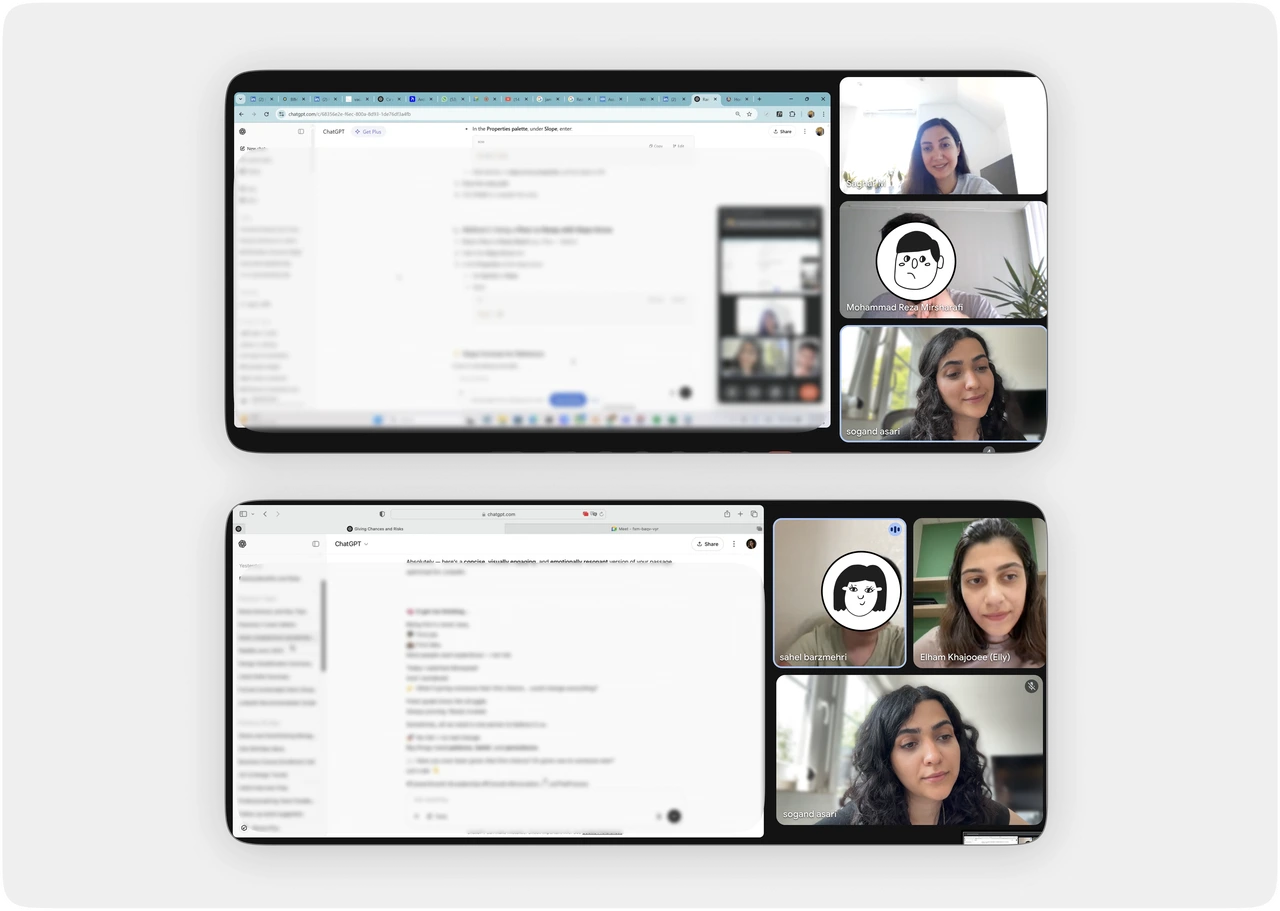

“Why can't I search inside a conversation?”

“I still end up pasting my important things into Word.”

“I just open a new conversation every time. It's easier.”
What We Got Right And What We Didn’t
From Casual Prompts to Project Workflows: GPT Usage Patterns

Casual User
User Story:
Uses GPT casually for tasks like homework, language practice, lifestyle tips, or image creation. Opens many short chats, but rarely sticks with one for long.

Professional User
User Story:
Uses GPT for deeper, project-based tasks like prepping files, getting feedback, and progressing work. Fewer chats, but each is more focused and long-term.
What Others Do Well And Where AI Chats Still Fall Short
Where Everyone Loses Track
Most AI chat tools like ChatGPT, Claude, and Copilot are fast but unstructured:
- No folders or grouping to structure projects
- Poor in-chat search, so old insights get lost
- Limited chat management, making long-term work a mess




Where Others Shine
Apps like Gemini, Poe, and Coda AI are already tackling organization by offering:
- Privacy-first sharing (customizable link permissions)
- Pinned chats (keep key threads front and center)
- Clean timelines (simple browsable history even in free versions)




Turning Frustrations into Design Opportunities
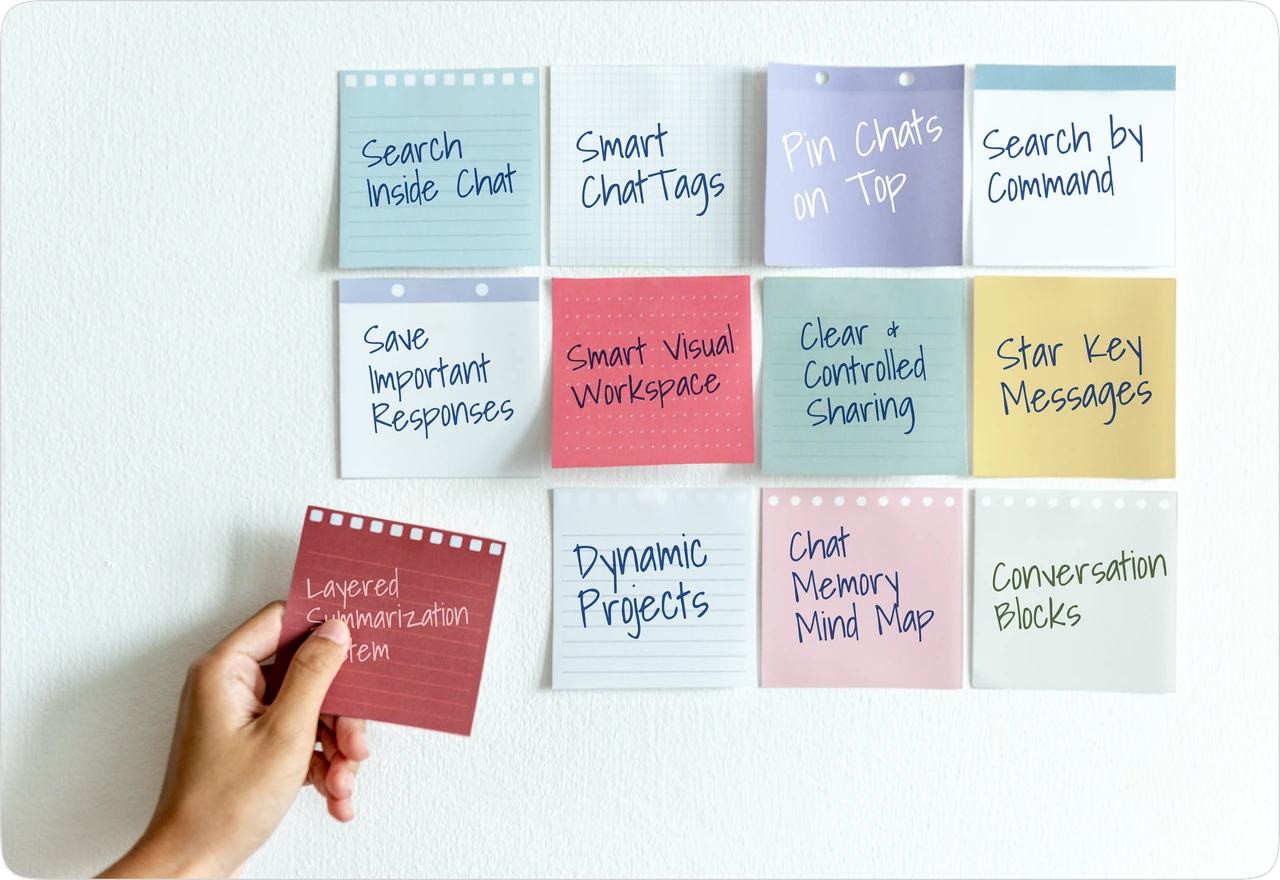
Which solutions matter most to each user?
High Impact
Low Effort (Quick Wins)
📌Pin Chats Up Top
Let users keep important chats at the top. Easy to pin, unpin, or reorder by dragging.
💾Save Important Responses
Let users save key messages from any chat and can easily access them in a 'Saved' section on the dashboard.
📈Project Evolution
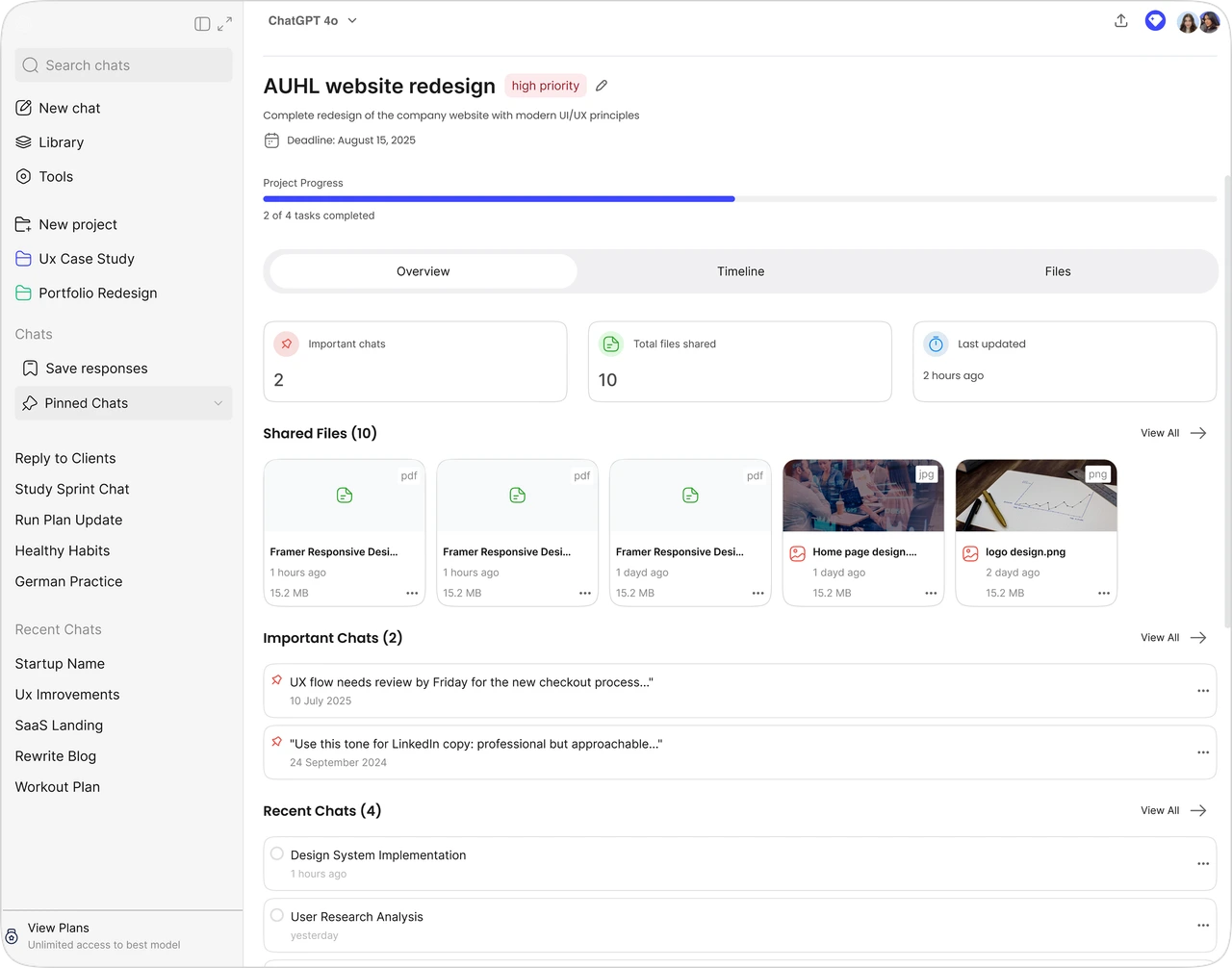
Instead of just acting as a folder or container, it will now serve as a space for tracking progress. Users will be able to monitor timeline progress, see key topics, and review shared files all in one place, making it more of a dynamic space for task management and project evolution.
🔍Search Inside Chat
Let users search within a single conversation to quickly find what they need.
High Impact
High Effort (Strategic)
🔎Smart Search Filters
Make it easier to find chats with filters like date, folder, tags, file type, or saved content.
🧠Chat Memory Mind Map
Show instead of a linear list of chats, visualize all your chats as an interactive neural map. Topics branch off like synapses: 'German Practice' -> 'Grammar Help' -> 'Modal Verbs'.
🔗Related Messages Across Chats
See connected messages from different chats in one place and each linking back to its original spot.
🧩Conversation Blocks
Let users break chats into smaller, movable (Drag & Drop) blocks. They can group related parts together, save key blocks, or pin them for quick access.
🏷️In-Chat Topic Tags
Auto-generate tags for key topics inside a chat. Tap a tag to jump to that section and navigate long chats faster.
🏠Workspace as Homepage
Users land in a dashboard like Figma Home. They see pinned chats, folders, recent activity, saved responses, and a search bar, all in one place. It's editable, organized, and makes ChatGPT feel more like a workspace.
Low Impact
Low Effort (Fill-ins)
📁Quick-Switch Folders
Switch between folders or projects using tabs for faster, smoother navigation.
📝Future Notes
Let users leave a short note with a reminder for their future self refer to a specific chat or decision. Example: 'Remind me in 5 days about the UX flow.'
📑Layered Summarization System
Layered Summarization System in Chat GPT for their future self refer to a specific chat or is a 'layer' and each subtopic is a 'sublayer.' Within one chat, you can ask for individual summaries of each layer or sublayer, and even compile all summaries together.
Low Impact
High Effort (Maybe Later)
🖼️Screenshot-to-Search
Let users upload a screenshot from a chat and find related messages across all previous conversations.
📤Clear & Controlled Sharing
Let users choose exactly what they're sharing, the whole chat or selected messages. So they stay in control and know what others will see.
⌨️Search by Command
Let users type things like 'Find the chat about design' and GPT instantly pulls it up.
📂Nested Folder Hierarchy
Advanced folder structures like 'Work > Client A > Round 1'.
Designed for How People Actually Work
We wanted to fix the little things that were quietly frustrating people every day, like lost files, forgotten chats, and not knowing where to click next. Every small change we made was based on real problems users were facing.
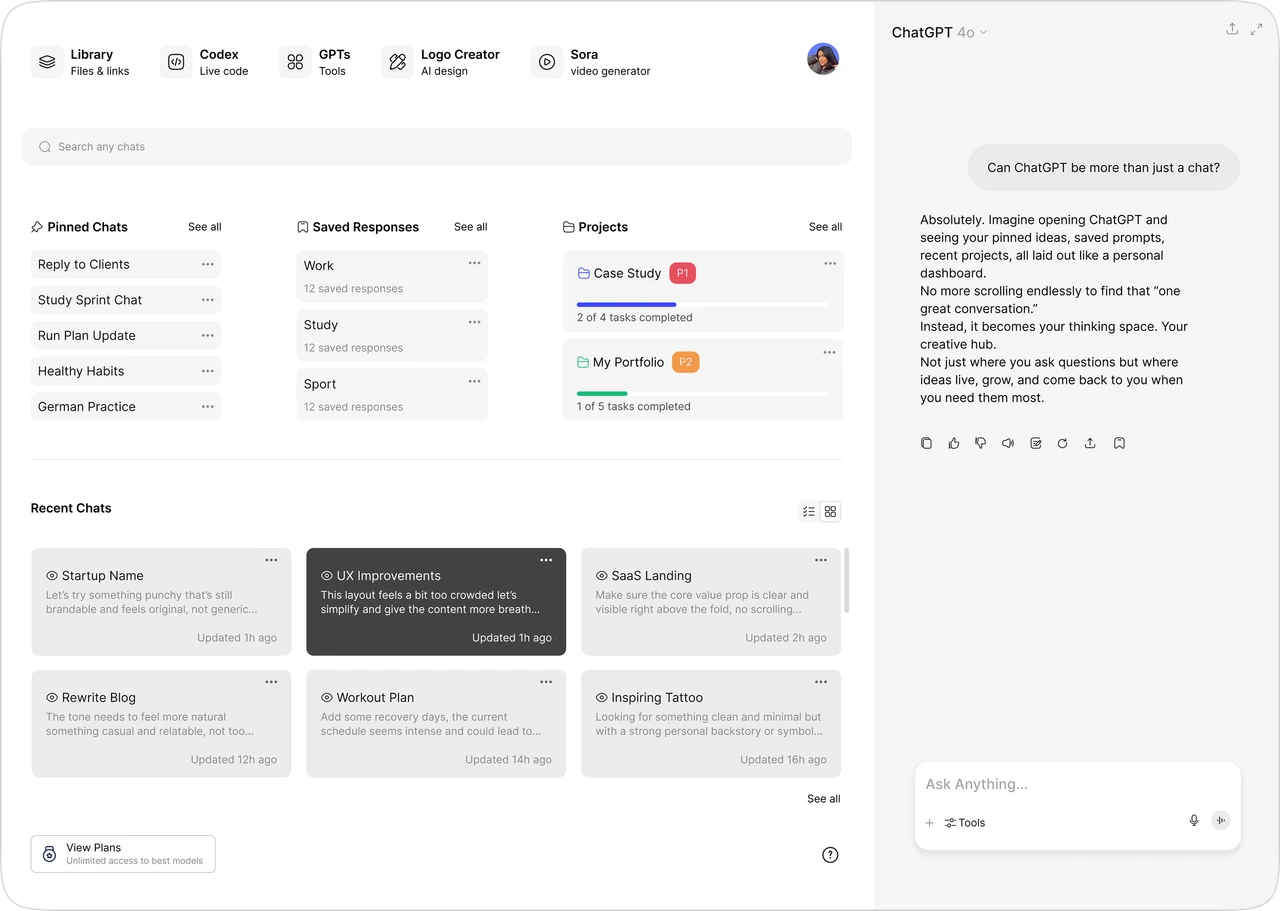
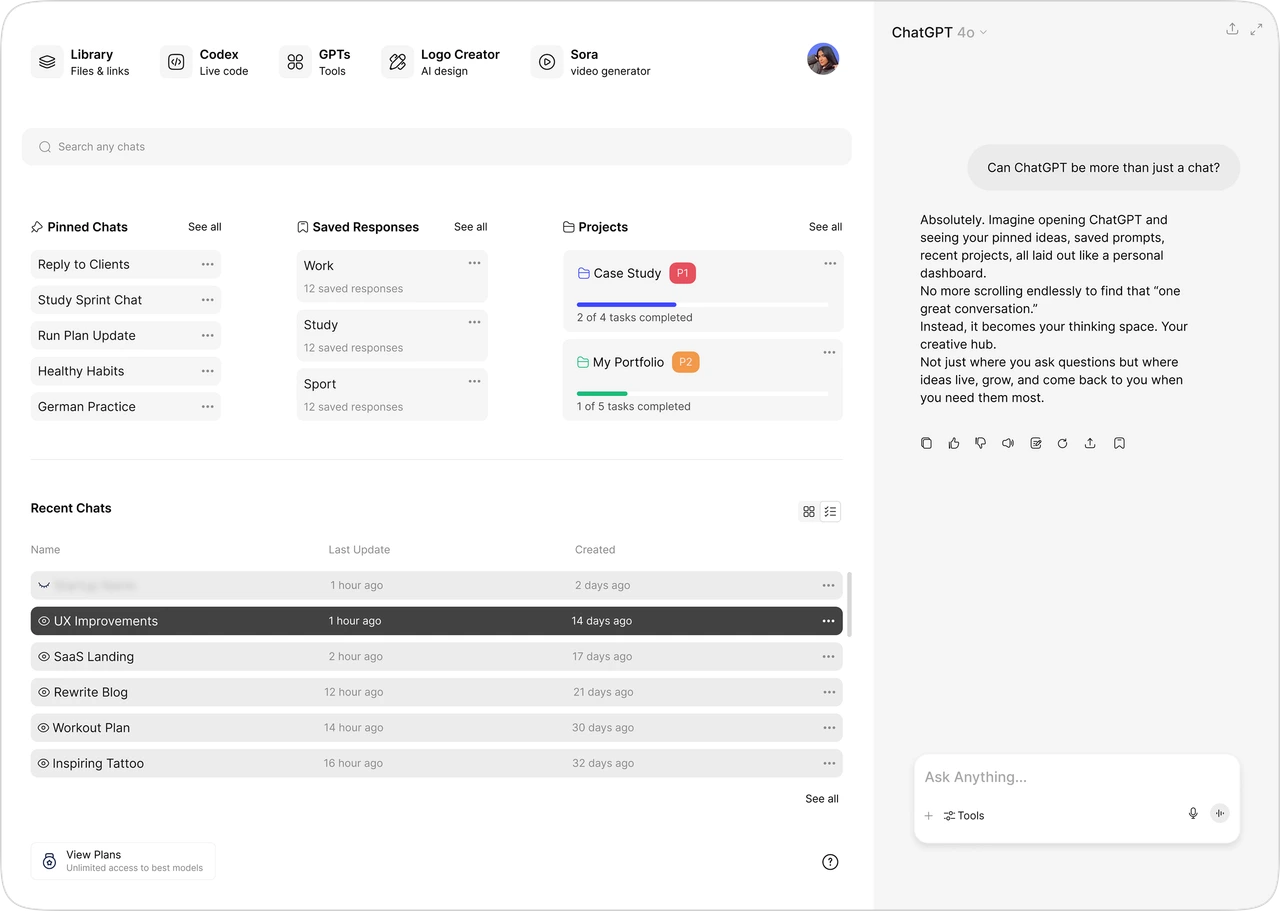
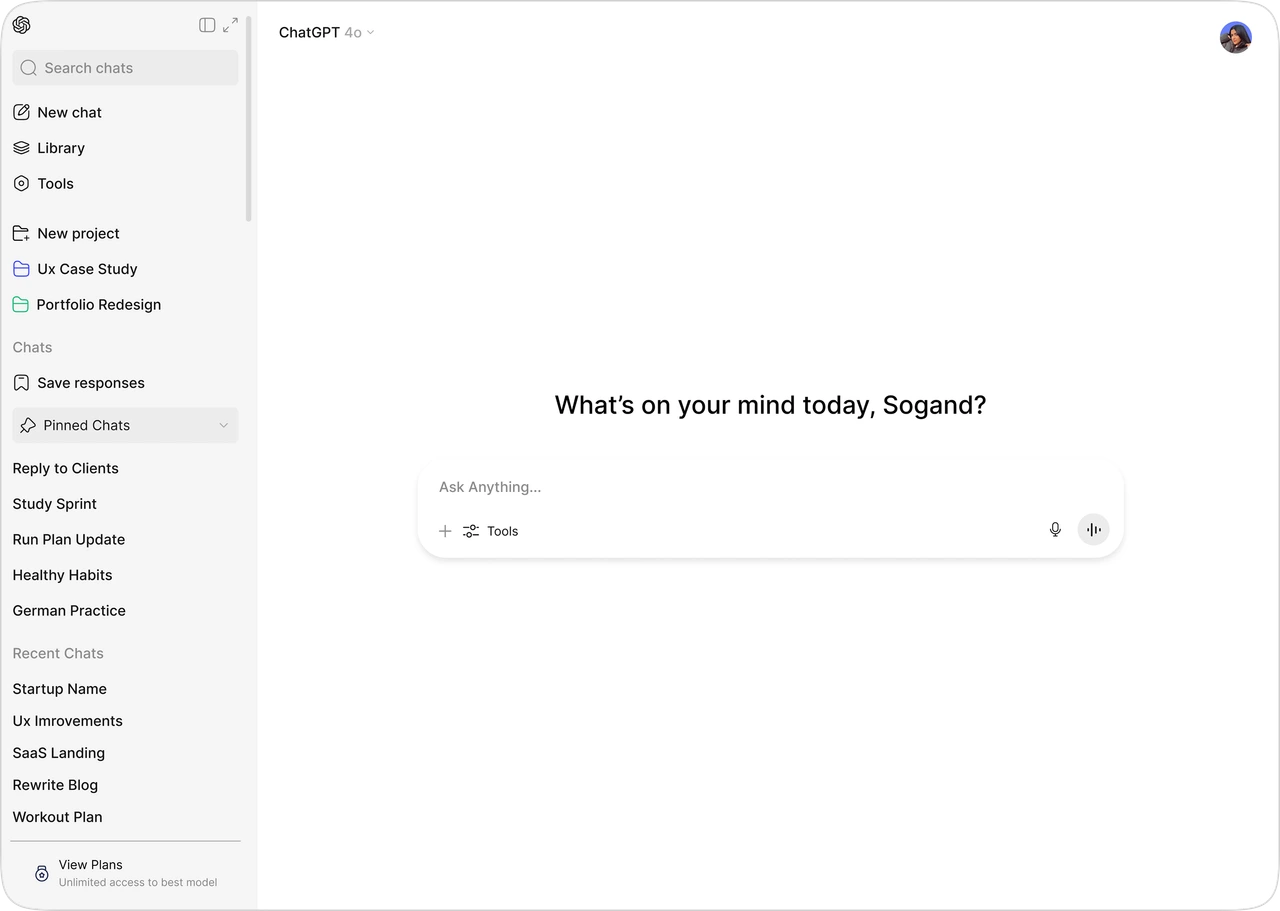
Surfaces key sections and chat previews in a scannable layout for faster navigation.
From static folders to dynamic project tracking
Enabling users to manage conversations, files, and progress in one continuous workspace.
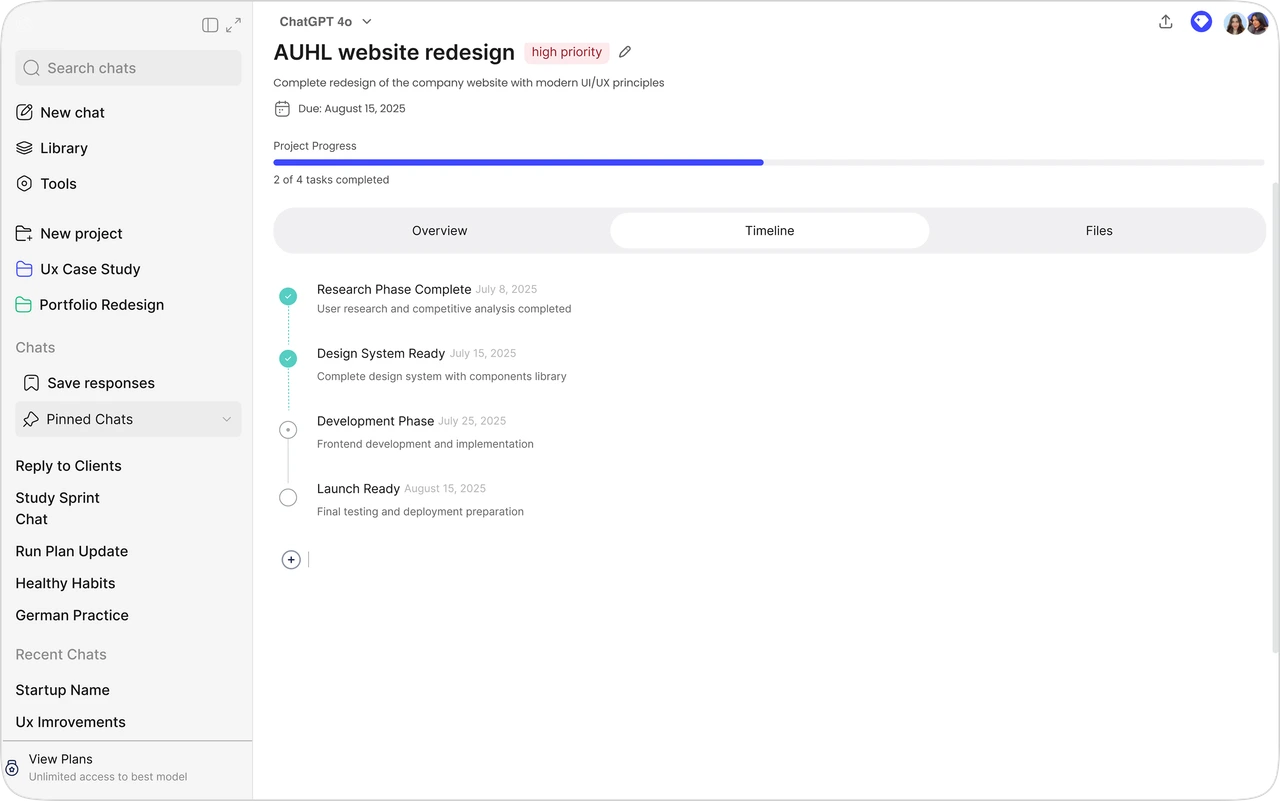
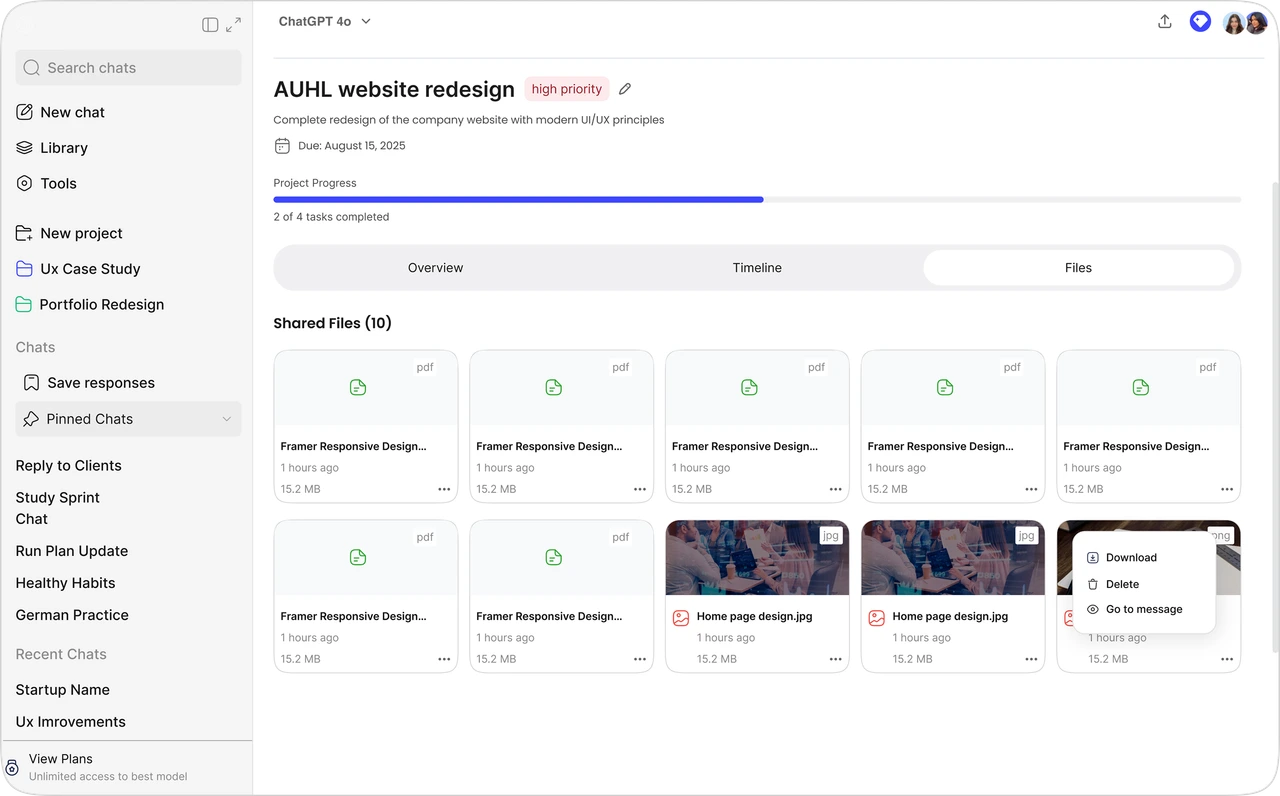
Provides a structured timeline to monitor progress and milestones.
Search smarter, navigate faster
Turning fragmented information into instantly accessible knowledge.
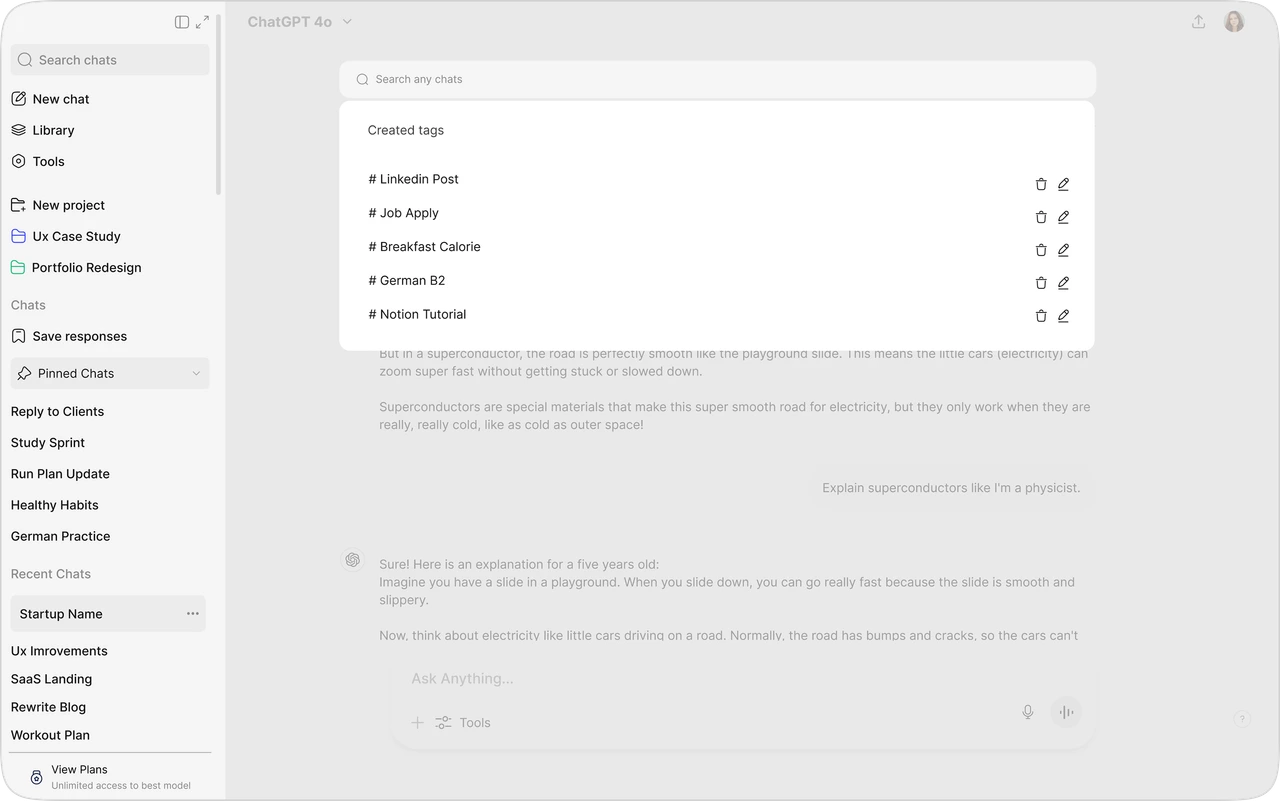
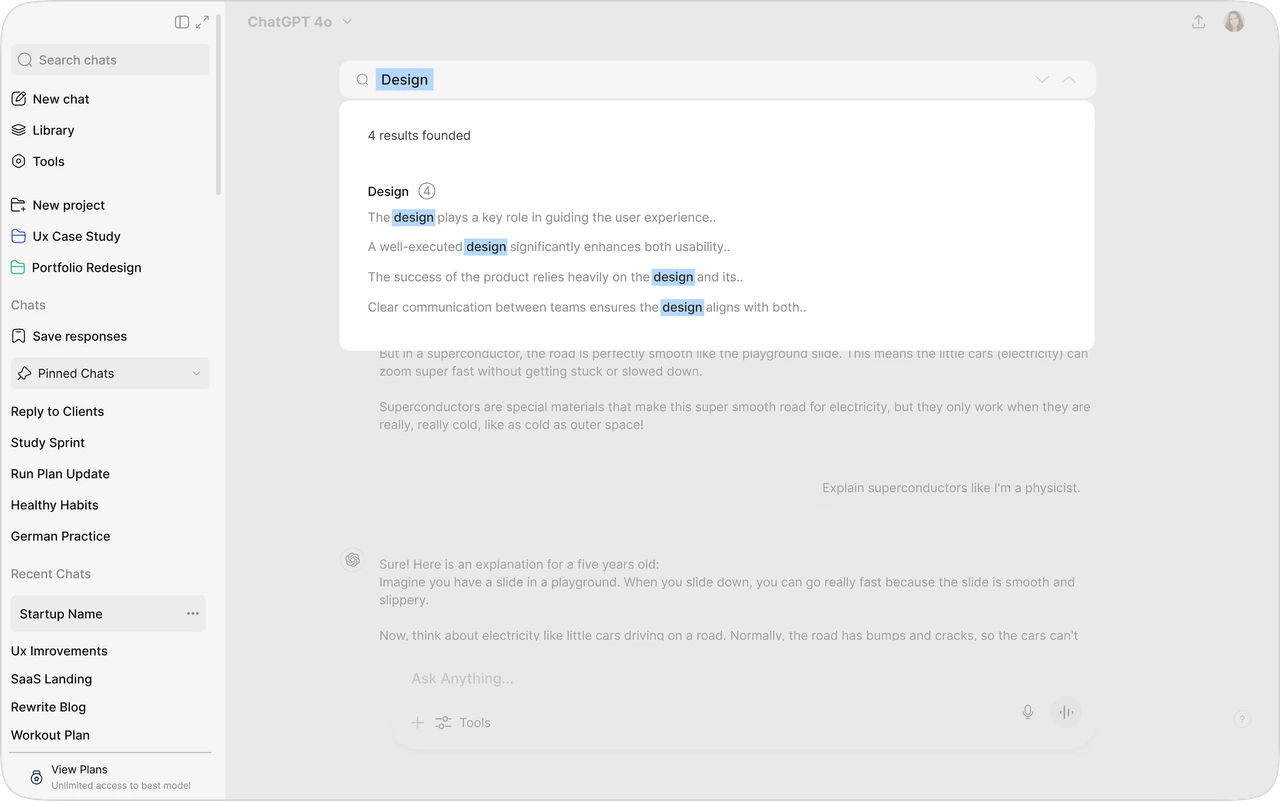
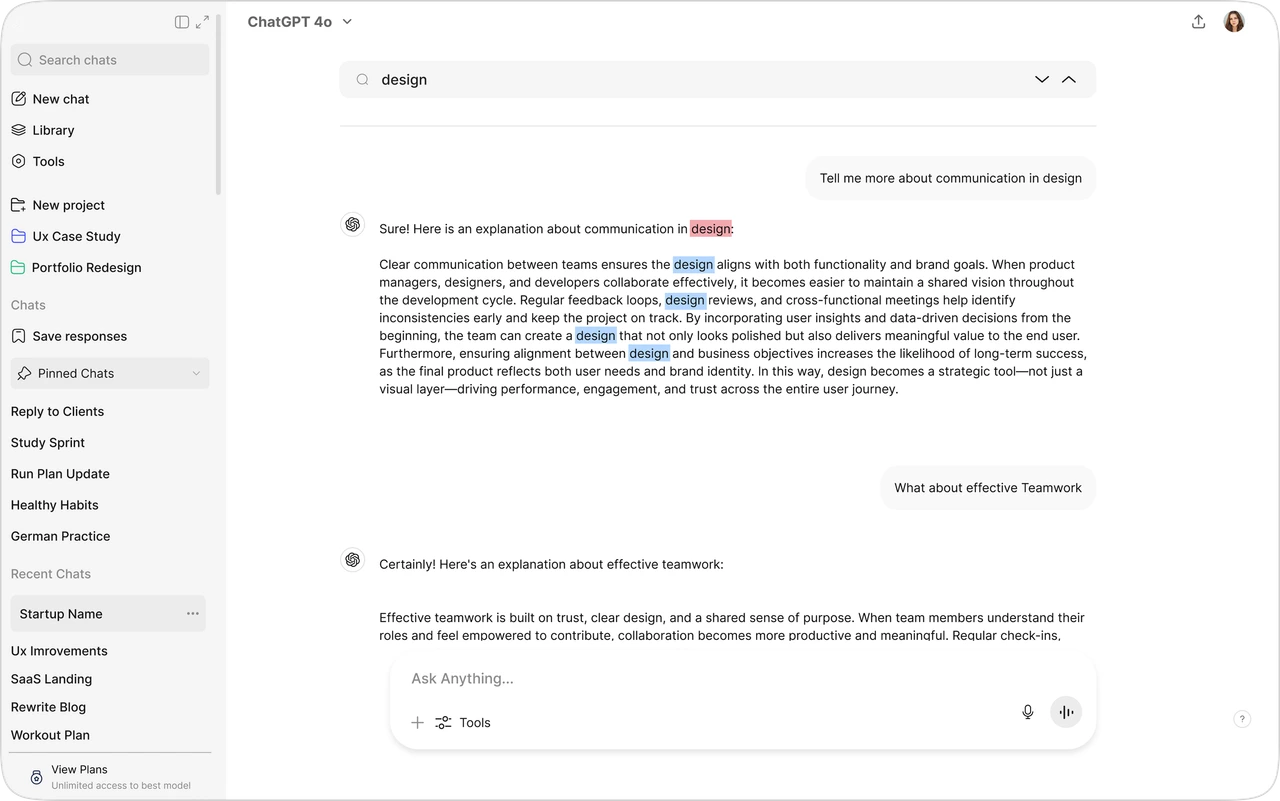
Structures conversations with custom labels for faster retrieval.
Highlight what matters, save it where it belongs.
Transforming conversations into structured knowledge assets.
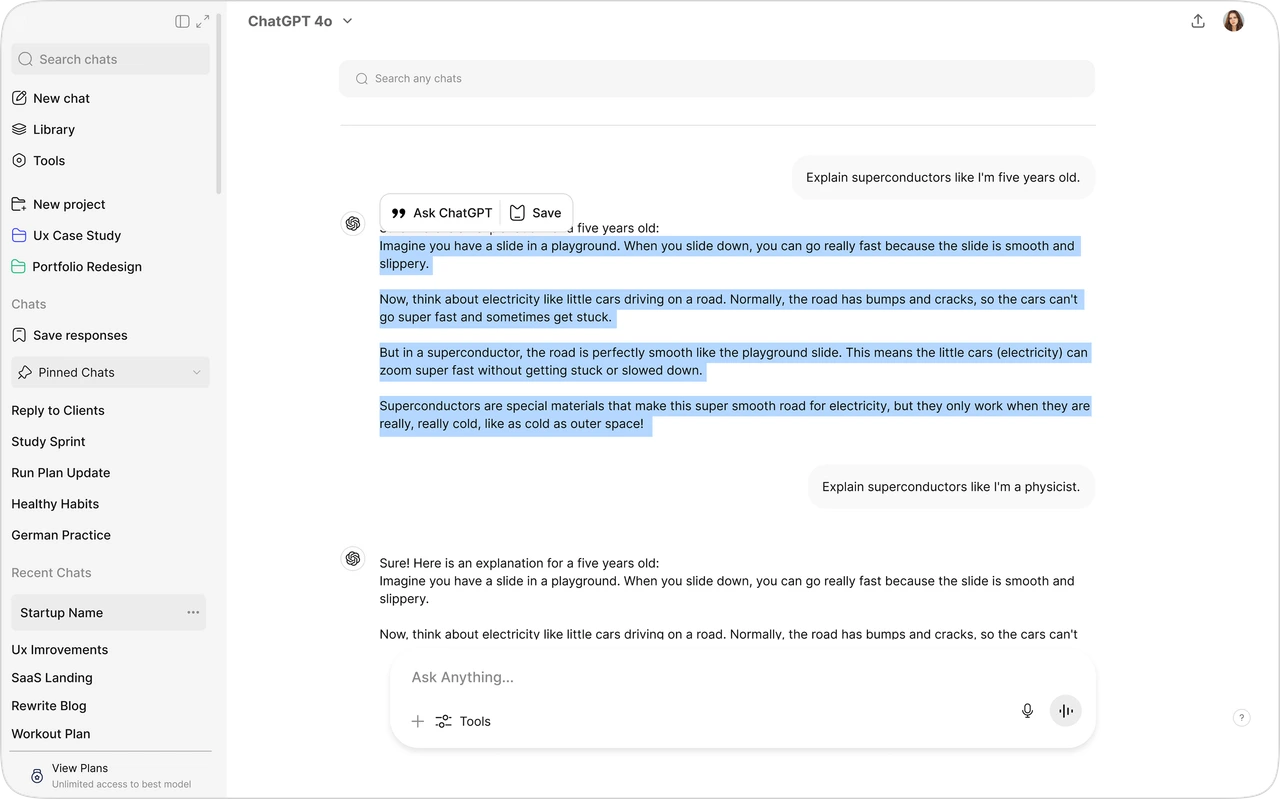
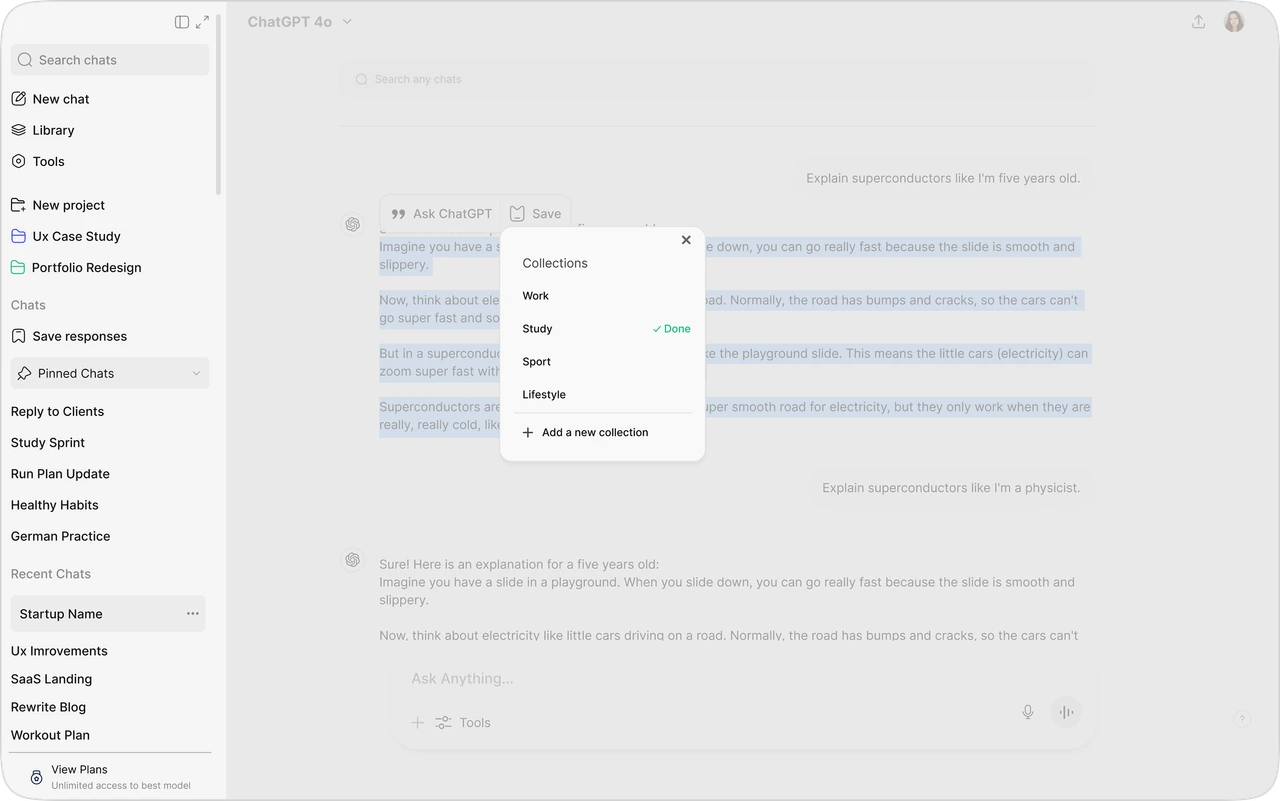
Extracts valuable content from conversations for long-term reuse.
Where We Nailed It & Where We Missed
We showed our design to 5 previous interview participants for 5 seconds and asked quick, targeted questions to understand if core features and purpose are immediately clear. Their reactions helped us spot what felt intuitive and where more clarity or refinement was still needed.

“Feels like a smart way to search inside a long conversation. I often forget where something was said, so this would save time.”

“Finally, I don't have to copy everything into Word anymore. Being able to save and revisit responses in one place makes things way easier.”
“The new layout feels better, but I still end up starting new chats each time. Maybe clearer guidance or reminders could help me reuse old ones more.”
Did our features actually help people work smarter?
We tracked how users interacted with our new features over a 2-week period. Here's what we learned about the core value of design decisions in clarity, usability, and how they align with our vision.
Response Reuse
- More often reused and highlighted saved responses
- Less time spent copying to external tools
- Fewer new chats created unnecessarily
Search Efficiency
- Time saved from faster search results
- Fewer clicks to find and reuse content
- Improved task completion rates
Project Engagement
- Higher number of projects completed
- More consistent use of project organization features
- Fewer interactions with help text and tooltips
Flow, Not Just Features
- Smoother transitions between different tasks
- Less time spent switching between tools
- More time spent inside the workspace
As we conclude...
Interested in working together?
Whether you're building a product, improving an existing experience, or looking for thoughtful UX feedback I'd love to collaborate.

Explore more work
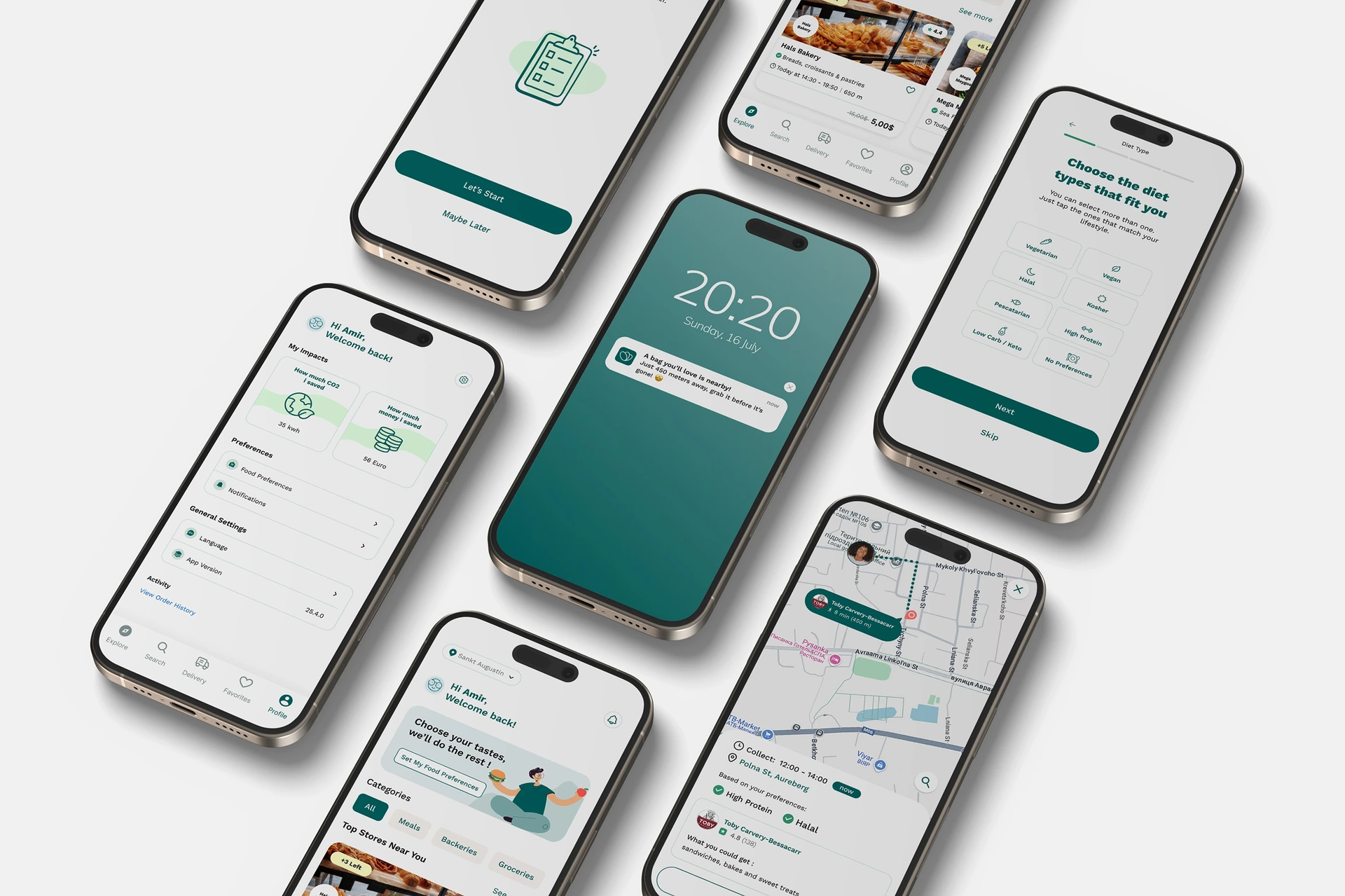
Too Good To Go — Improving Retention Through Personalization
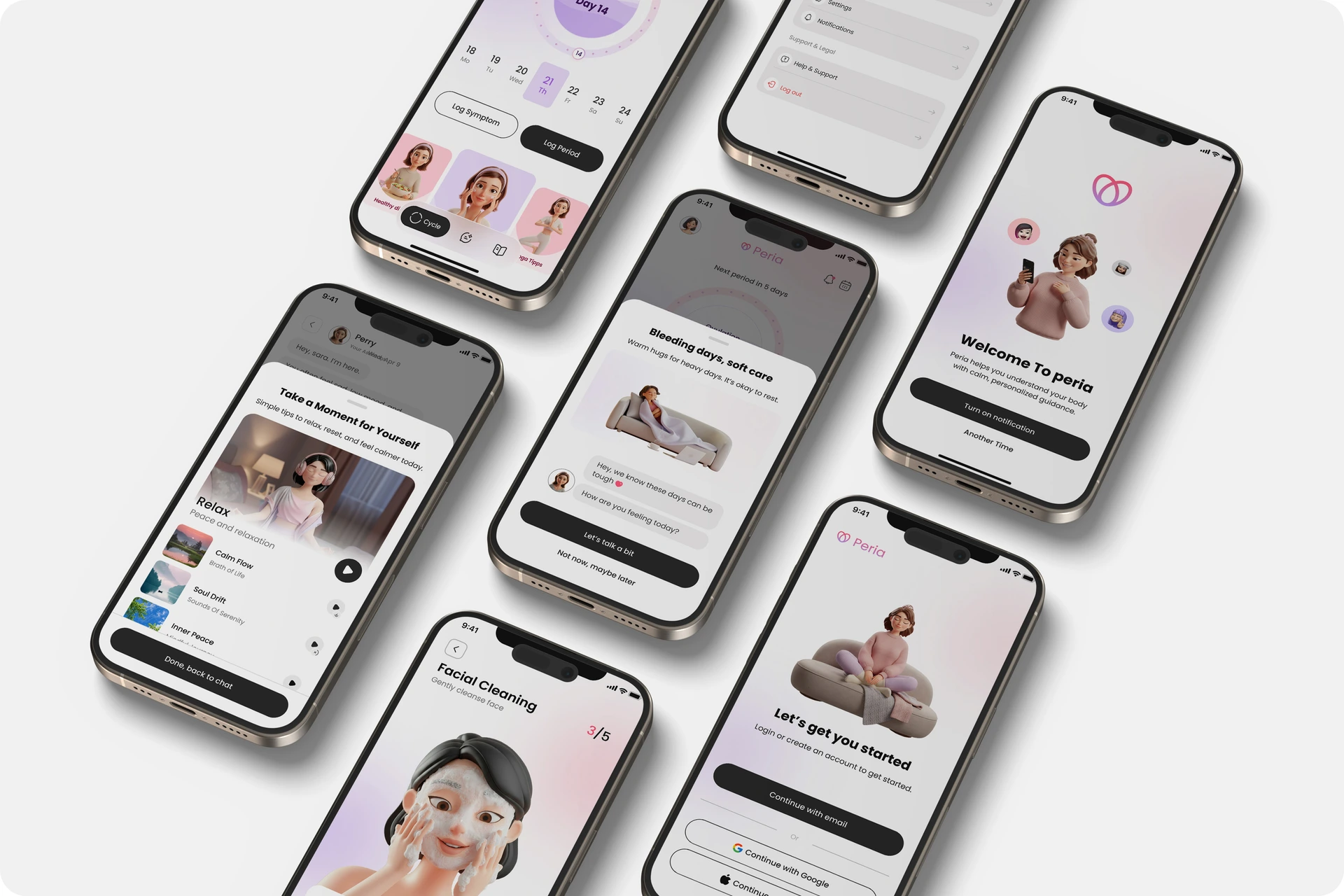
Peria — Smart wellbeing app for women
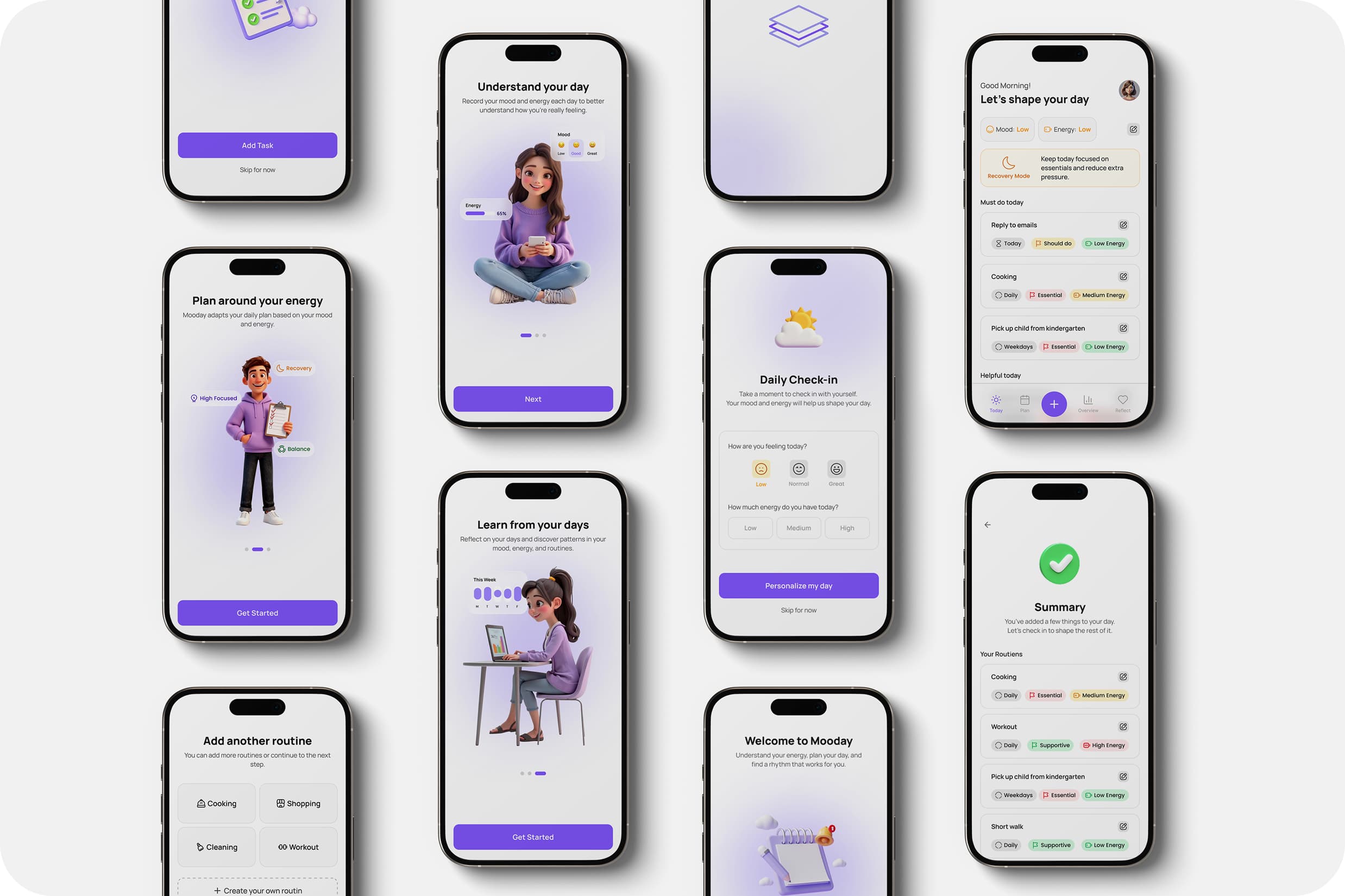
Mooday — Designing Adaptive Daily Planning Based on Energy & Mood
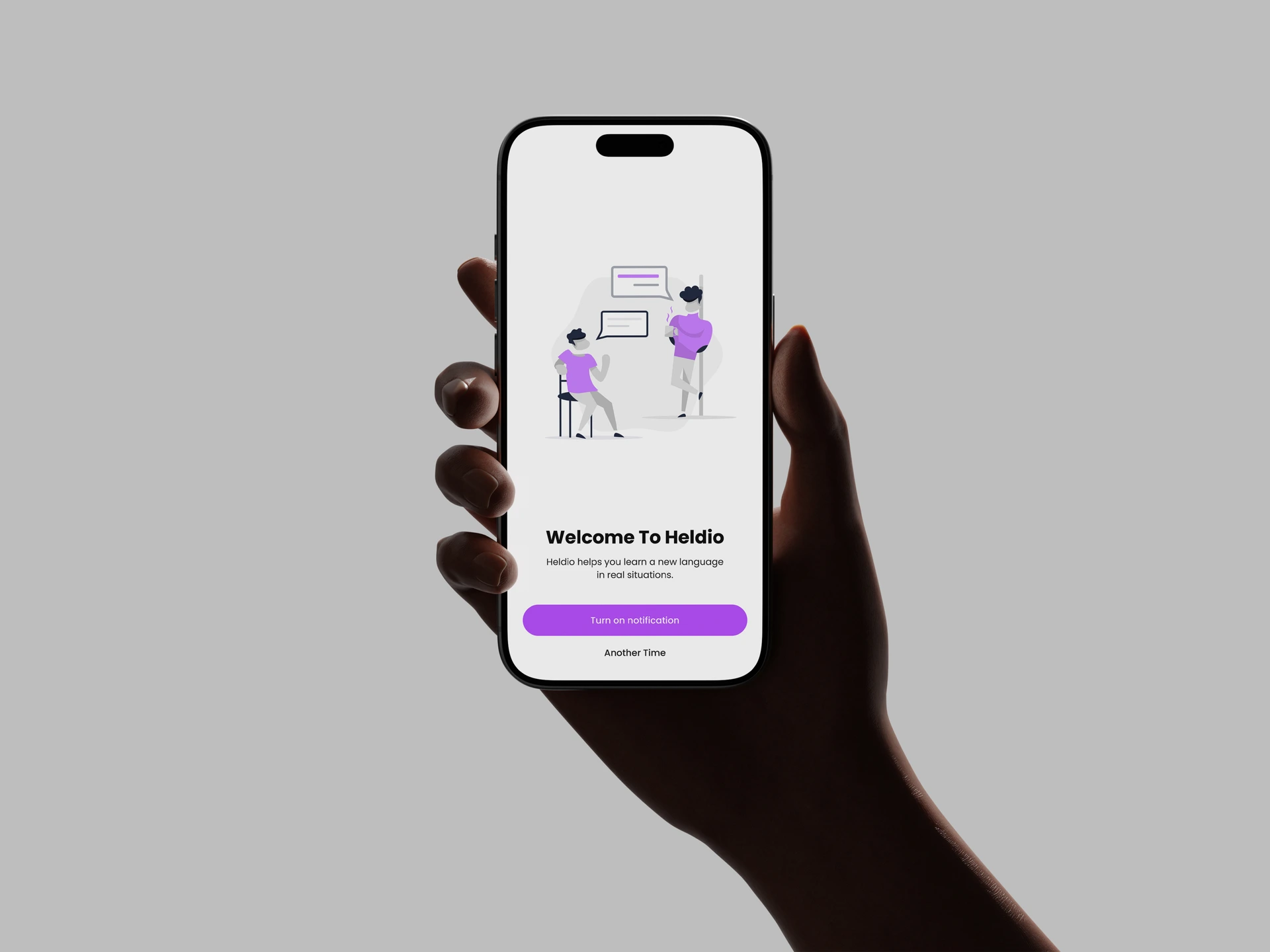
Heldio — Framing the Real-World Language Performance Gap